
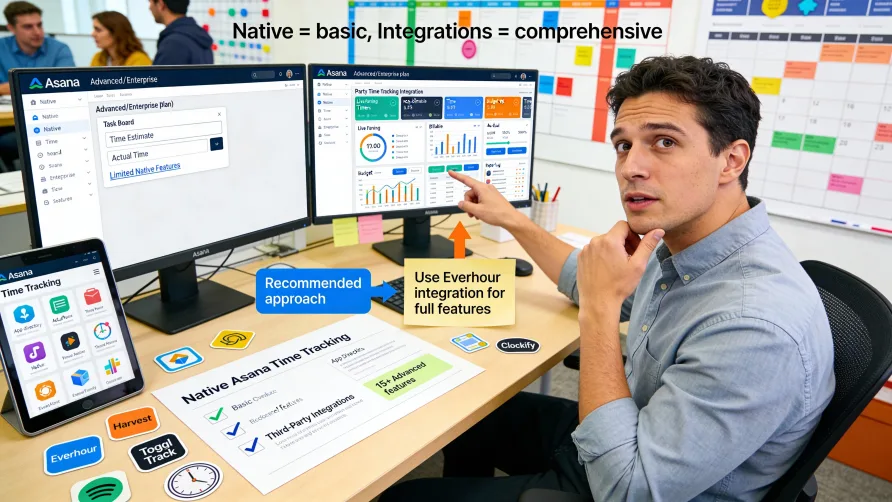
Yes, Asana includes native time tracking features, but availability and functionality are limited compared to dedicated time tracking software. Native time tracking in Asana is only available on Advanced and Enterprise plan tiers, and the features focus on basic time estimation and tracking rather than comprehensive workforce time management.
Understanding what Asana's native time tracking can and cannot do helps you determine whether it meets your needs or whether you should use a third-party integration for more robust time tracking capabilities within your Asana workflows.
Is Asana Time Tracking Free?
No, Asana's native time tracking features are not available on the free plan. Time tracking functionality requires an Advanced or Enterprise plan subscription, which means you need to be on a paid tier beyond the Basic plan to access these features.
This plan requirement makes Asana's time tracking different from some project management platforms that include time tracking across all plan levels. If you're using Asana's free or Basic plans and need time tracking, you'll either need to upgrade to a higher plan tier or use a third-party time tracking integration.
For businesses already on Advanced or Enterprise plans for other Asana features, the native time tracking comes included without additional per-feature costs. However, if you're on a lower plan tier and time tracking is your primary need, upgrading solely for Asana's limited native tracking may not provide the best value compared to using a dedicated time tracking tool that integrates with Asana.
The plan limitation means many Asana users never access native time tracking features and instead rely on integration options that work across all Asana plan levels.
What Asana's Native Time Tracking Offers
Asana's native time tracking focuses on task-level time estimation and actual time tracking. You can add estimated time to tasks, which helps with project planning and workload management. These estimates let you gauge how much time you expect tasks to take and compare estimates against actual time spent.
The time tracking feature lets users log time spent on individual tasks. Team members can record how many hours or minutes they devoted to completing specific work items. This actual time data accumulates at the task level, providing visibility into how long tasks really took compared to initial estimates.
Time entries in Asana can include start and end times or simply a duration. Users manually enter time spent rather than using a running timer that automatically tracks elapsed time. This manual entry approach works for retrospective time logging but lacks the convenience of automatic tracking.
The system aggregates time data at the project level, showing total time logged across all tasks within a project. This rollup gives project managers visibility into total time investment for projects, though the reporting capabilities for analyzing this data remain basic compared to dedicated time tracking platforms.
Custom fields for time tracking let you create additional time-related data points beyond the standard time tracking fields. You might add fields for billable versus non-billable time, time categories, or other classifications that matter for your workflow.
Limitations of Asana's Native Time Tracking
Asana's time tracking lacks several features that businesses typically need for comprehensive workforce time management. There's no built-in timer that runs while you work, which means users must remember to log their time manually after completing tasks. This manual approach often results in incomplete or inaccurate time records as people forget to log hours or estimate time retrospectively.
The system doesn't include timesheet functionality for reviewing and approving employee hours. There's no formal workflow for managers to review time entries, make corrections, or approve hours before they move to payroll processing. This absence makes Asana unsuitable as a primary time tracking solution for payroll purposes.
Payroll integration doesn't exist in Asana's native time tracking. The platform isn't designed to connect time data with payroll systems, export timesheets in payroll formats, or support the compliance requirements that come with tracking employee hours for wage calculations.
Reporting capabilities for time data are limited. While you can see time logged on tasks and projects, Asana doesn't provide the detailed time analytics, labor cost reports, or utilization dashboards that dedicated time tracking software offers. Creating comprehensive time reports often requires exporting data to other tools.
The feature doesn't support different billing rates, cost tracking, or client invoicing based on time. For agencies, consultancies, or professional services firms that need to track billable hours and generate invoices from time data, Asana's native tracking lacks essential functionality.
How Do I Track Time in Asana?
To use Asana's native time tracking, you need an Advanced or Enterprise plan. Once you have access, you enable time tracking features in your project or workspace settings. Time tracking appears as custom fields that you add to tasks.
Adding time estimates to tasks happens in the task details pane. You can set an estimated duration for how long you expect the task to take, using hours and minutes as your units. These estimates help with capacity planning and project scheduling.
Logging actual time spent on tasks requires manual entry after completing work. Click into a task, find the time tracking field, and enter the hours and minutes you spent. Some users log time continuously as they complete tasks, while others log time in batches at the end of each day or week.
The time tracking data appears in task details and aggregates up to project levels. You can view total time logged across all tasks in a project, though accessing this aggregated data may require using Asana's reporting features or custom dashboards.
For teams that need more functionality than Asana provides natively, integrating a dedicated time tracking tool creates a better experience without leaving Asana workflows.
Better Time Tracking Options Through Integrations
Most Asana users who need robust time tracking choose to integrate dedicated time tracking software rather than relying on Asana's limited native features. These integrations connect time tracking capabilities directly to your Asana tasks while providing the comprehensive features you need for workforce management, billing, or productivity analysis.
Third-party time tracking tools typically offer running timers, automatic tracking, detailed reporting, payroll integration, invoicing capabilities, and many other features Asana's native tracking lacks. The integrations work by connecting to your Asana account and pulling in your tasks, projects, and organizational structure.
When you track time in an integrated time tracking tool, the system associates that time with the relevant Asana task. You can start timers directly from Asana tasks, and the time data syncs between both platforms. This connection lets you use Asana for project management while using a specialized tool for time tracking.
The integration approach gives you the best of both worlds: Asana's strengths in task management and collaboration combined with purpose-built time tracking functionality. You don't sacrifice project management capabilities or time tracking features by trying to make one tool do everything.
Toggl Track for Asana
Toggl Track provides comprehensive time tracking that integrates with Asana tasks. The integration lets you start and stop timers for Asana tasks directly from within Asana, eliminating the need to switch between applications when logging time.
Toggl Track offers one-click time tracking with a running timer that accurately captures time as you work. The tool includes detailed reporting for analyzing where time goes, identifying productivity patterns, and understanding project profitability if you track billable hours.
The platform supports team time tracking with features for reviewing employee hours, approving timesheets, and exporting data to payroll systems. For businesses that need time data for invoicing, Toggl Track provides billing rate configuration and invoice generation from tracked time.
Clockify for Asana Integration
Clockify integrates with Asana to provide free and paid time tracking options. The integration connects to your Asana tasks and lets you track time against specific tasks and projects from within the Clockify interface or browser extension.
Clockify offers unlimited time tracking on its free plan, making it accessible for teams with tight budgets. The platform includes timer and manual time entry modes, detailed time reports, and team management features for reviewing how your workforce spends time.
For businesses that need advanced capabilities, Clockify's paid plans add features like timesheet approval workflows, labor cost tracking, invoicing, and more detailed analytics. The Asana integration ensures time data connects to your project management workflow.
Everhour Time Tracking Integration
Everhour provides time tracking specifically designed for project-based work and integrates deeply with Asana. The integration brings time tracking directly into Asana's interface through a browser extension, letting you start timers without leaving your project management workflow.
The tool focuses on features important for agencies and professional services including billable versus non-billable time tracking, budget monitoring, team capacity planning, and invoice generation from tracked hours. Everhour's reporting shows profitability by project or client.
Team management features include timesheet approval, time off tracking, and scheduling capabilities. The platform exports time data to common payroll systems and accounting software for businesses that need to process employee hours or bill clients.
Harvest Integration With Asana
Harvest connects to Asana for time tracking with a focus on invoicing and business financial management. The integration lets you track time against Asana tasks and projects while using Harvest's robust invoicing and expense tracking features.
Harvest excels at converting tracked time into client invoices. You can assign billing rates to different team members or project types, and Harvest generates invoices based on billable hours tracked. The platform also handles expense tracking and includes those expenses in client invoices.
The tool provides reports for analyzing team utilization, project budgets, and profitability. You can see which projects are profitable, which clients consume the most time, and how your team's capacity is allocated across work.
Choosing Between Native and Integration Options
If you're on an Advanced or Enterprise Asana plan and need only basic time estimation and simple time logging at the task level, Asana's native features might suffice. These features work for teams that want rough time data for project planning without needing comprehensive workforce time management.
However, most businesses need more functionality than Asana provides natively. If you need any of the following, a dedicated time tracking integration makes more sense:
Running timers that track time automatically as you work rather than requiring manual entry after the fact. This automation improves accuracy and reduces the burden on team members to remember to log their hours.
Timesheet functionality for reviewing and approving employee hours before payroll processing. Businesses using time data for payroll need formal approval workflows and export capabilities that Asana doesn't provide.
Detailed time analytics and reporting beyond basic task-level summaries. Understanding productivity patterns, analyzing project profitability, or tracking team utilization requires more sophisticated reporting than Asana offers.
Billable hour tracking and invoice generation for client billing. Professional services firms, agencies, and consultancies need to track which hours are billable, apply different rates, and create invoices from time data.
Integration with payroll or accounting systems for processing employee hours or managing business finances. Asana doesn't connect time data to payroll systems, which limits its usefulness for workforce management.
Implementation Considerations
If you decide to use Asana's native time tracking, enabling the features requires Administrative permissions. You'll add time tracking custom fields to your projects or templates, train team members on logging time, and establish expectations for when and how people should record their hours.
For integration approaches, you'll need to select a time tracking tool that fits your requirements and budget. Most integrations require connecting your Asana account to the time tracking platform, which typically involves authorizing access to your Asana data.
Once connected, the integration imports your Asana projects, tasks, and organizational structure into the time tracking tool. Team members may need to install browser extensions or use the time tracking tool's interface to start timers and log hours against Asana tasks.
Training requirements depend on which solution you choose. Native Asana tracking requires minimal training since it's just adding data to task fields. Integrated tools require teaching team members how to use the time tracking platform alongside their Asana workflows.
Making the Right Choice
For most businesses, dedicated time tracking tools integrated with Asana provide better functionality than Asana's limited native features. The integration approach gives you comprehensive time tracking capabilities while maintaining your Asana-based project management workflow.
Evaluate your specific needs including whether you need time data for payroll, client billing, productivity analysis, or project planning. Understanding your requirements helps you determine whether native Asana tracking suffices or whether you need the additional capabilities that integration options provide.
Consider your budget, team size, and plan level when making decisions. If you're already on an Advanced or Enterprise plan and need only basic time logging, native features might work. For businesses on lower Asana plans or those needing robust time tracking, integration options often provide better value and functionality.
The right solution depends on how you'll use time data, what features you need beyond basic tracking, and how time tracking fits into your broader business processes like payroll, invoicing, or performance management.