
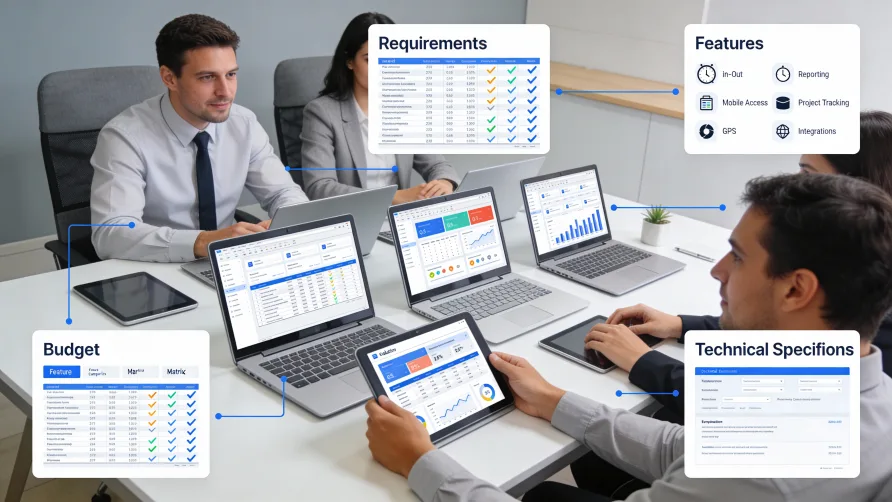
Choosing time tracking software requires matching your actual business needs to available features rather than selecting the platform with the longest feature list or the lowest price. The right solution for a 10-person retail shop differs from what works for a 200-person professional services firm or a construction company with crews across multiple job sites. Before evaluating any software, you need a clear picture of what problems you are solving and what capabilities matter most for your situation.
Assessing Your Business Needs
Start the selection process by documenting your requirements. This foundation guides every subsequent decision and prevents you from being swayed by impressive features you will never use.
What Problems Are You Solving?
Different businesses track time for different reasons. Understanding your primary objectives shapes which features matter.
Payroll accuracy drives many purchases. If your main goal is ensuring hourly workers get paid correctly for the hours they work, you need reliable clock-in and clock-out functionality, overtime calculations, and payroll integration. Advanced project tracking may be unnecessary.
Client billing motivates professional services firms. Lawyers, consultants, and agencies need to record hours against specific clients and matters. Billable versus non-billable categorization, multiple billing rates, and invoicing integrations become critical.
Project costing concerns project-based businesses. Construction companies, software developers, and creative agencies want to know how many hours projects actually consume compared to estimates. Task-level tracking and budget comparison features matter here.
Compliance documentation protects businesses in regulated industries or those with significant overtime exposure. The ability to produce detailed records during audits or litigation takes priority over convenience features.
Productivity visibility appeals to managers seeking insight into how teams spend their time. Reporting and analytics capabilities outweigh basic attendance tracking.
Most businesses have multiple objectives, but ranking them helps prioritize features when trade-offs arise.
Who Will Use the System?
Consider everyone who interacts with the software, not just the person making the purchase decision.
Employees clock in, log time, and submit timesheets. Their experience determines adoption. Software that feels cumbersome or intrusive generates resistance, workarounds, and incomplete data.
Managers approve timesheets, review reports, and handle exceptions. They need visibility without drowning in administrative tasks.
Payroll staff extract data for wage calculations. Integration capabilities and export formats affect their workflow directly.
Executives may want high-level reporting on labor costs, utilization, or productivity trends.
Each group has different needs. Software optimized purely for administrative efficiency may frustrate employees. Tools designed for worker convenience may lack management controls. The best choice balances these perspectives.
How Many People and Locations?
Scale affects both pricing and required capabilities. A five-person team can manage with simpler tools than a 500-person organization with multiple offices.
Consider current headcount and realistic growth expectations. Outgrowing your time tracking system within a year or two creates expensive migration projects. Select software that accommodates your trajectory, not just your current state.
Multiple locations introduce complexity. Do all sites need the same features? Will employees move between locations? Do different locations have different compliance requirements?
What Technical Environment Exists?
Time tracking does not exist in isolation. Map the systems it must work with.
Payroll software is the most common integration point. Does your payroll provider have partnerships with particular time tracking platforms?
HR systems may manage employee records that time tracking needs to access.
Project management tools might benefit from time data flowing into them or providing project structures for time entry.
Accounting software may need labor cost data for job costing or financial reporting.
The more connections you need, the more integration capabilities matter in your selection.
What Features Should I Look for in Time Tracking Software?
Feature requirements vary by business type, but certain categories apply broadly.
Core Time Capture
Every solution handles basic time recording, but methods differ. Evaluate which approaches fit your workforce.
Clock-in and clock-out suits shift-based work where tracking start and end times matters most. Look for flexibility in how employees clock in: mobile apps, web browsers, physical terminals, or some combination.
Timer-based tracking works for knowledge workers logging time throughout the day. Start a timer when beginning a task; stop when finished. The software accumulates segments into daily totals.
Manual timesheet entry accommodates workers who cannot interact with tracking tools in real time. Employees fill in hours after the fact, typically at day's end or week's end.
Automatic tracking captures time passively by monitoring computer activity. The software runs in the background and records which applications employees use. This approach suits desk-bound workers and reduces reliance on manual logging.
Most platforms support multiple methods. Consider which your employees will actually use consistently.
Overtime and Compliance
If you have non-exempt employees, overtime calculations matter. The software should apply correct overtime rules automatically rather than requiring manual calculation.
Federal law requires overtime after 40 hours in a workweek, but some states add daily overtime rules or other requirements. California, for example, mandates overtime for hours exceeding eight in a single day. If you have employees in multiple states, the software should handle varying rules by location.
Break and meal period tracking may also carry compliance implications. Some states require documentation that employees received mandated breaks. Software that prompts for break confirmation or flags missing break records helps maintain compliance.
Project and Task Tracking
Businesses that bill clients by the hour or analyze labor costs by project need more than attendance tracking.
Project assignment lets employees categorize hours as they log them. Time entries associate with specific projects, clients, or cost codes.
Task-level detail goes deeper, allowing hours to be logged against individual tasks within projects. This granularity supports detailed billing and precise project analysis.
Budget tracking compares actual hours to estimates. Project managers see when work approaches or exceeds budgeted time.
Consider how much detail you genuinely need. More granularity means more data entry burden for employees. Track at the level that produces actionable insights without creating excessive friction.
Mobile Capabilities
If any portion of your workforce operates away from desks, mobile functionality matters.
Mobile apps let employees clock in from phones or tablets. Field workers, traveling staff, and remote employees can record time from wherever they work.
GPS verification confirms location when clocking in. This feature helps verify that field workers are at assigned job sites, though it raises privacy considerations that warrant transparent policies.
Offline functionality allows time recording even without internet connectivity. The app stores entries locally and syncs when connection resumes. Construction sites, rural areas, and buildings with poor cellular coverage benefit from this capability.
Evaluate mobile apps directly. Some platforms offer full-featured mobile experiences; others provide stripped-down versions that frustrate users.
Approval Workflows
Most organizations require manager approval before time data flows to payroll.
Submission and approval routes employee timesheets to designated approvers. Managers receive notifications, review entries, and approve or return them for correction.
Multi-level approval handles organizations where multiple people must sign off. A project manager might verify hours against their project; a department head approves overall.
Exception-based approval reduces manager burden by flagging only unusual entries for review. Routine timesheets auto-approve while anomalies require attention.
Consider your current approval process and whether the software supports it without awkward workarounds.
Reporting and Analytics
Data becomes valuable when you can analyze it. Reporting capabilities determine what insights you can extract.
Standard reports cover common needs: hours by employee, overtime summaries, attendance exceptions, and project hour totals. Most platforms include these.
Custom reporting lets you build queries matching your specific questions. Filter by date range, department, project type, or employee classification. Group and summarize data according to your analysis needs.
Dashboards provide at-a-glance visibility into key metrics. Labor costs, overtime trends, and utilization rates appear in visual formats without running reports manually.
Export capabilities matter for organizations that analyze data in external tools. The ability to export to spreadsheets or connect to business intelligence platforms extends what you can do with time data.
Integrations
Connections to other business systems multiply the value of time tracking data.
Payroll integration eliminates manual data transfer for wage calculations. This is the most common and often most valuable integration.
Project management integration links time data to task completion and project status. Hours logged against tasks appear alongside progress tracking.
Invoicing integration converts billable time into client invoices. Professional services firms particularly benefit from this connection.
Accounting integration feeds labor cost data into financial systems for job costing and expense tracking.
Verify that integrations exist for your specific platforms, not just the category. Native integration with your payroll provider matters more than integrations with competitors you do not use.
How Much Does Time Tracking Software Cost?
Pricing varies widely based on features, user count, and vendor positioning. Understanding common models helps you budget and compare options.
Per-User Monthly Pricing
The most common model charges a monthly fee for each active user. Rates typically range from $2 to $15 per user per month, with variation based on feature tiers.
Lower-priced tiers provide basic time tracking. Higher tiers add features like GPS tracking, advanced reporting, scheduling, or additional integrations. Calculate your total monthly cost by multiplying the per-user rate by your employee count, then adding any base platform fees.
This model scales with your workforce. Adding employees increases cost proportionally. For growing businesses, project future costs at anticipated headcount.
Tiered Flat-Rate Pricing
Some vendors charge flat monthly rates for user count bands. A plan might cover up to 25 users for a fixed fee, with a higher tier for 26-100 users.
This approach provides cost certainty within bands but creates jumps when crossing thresholds. A 24-person company might pay significantly less than a 26-person company if a tier boundary falls between them.
Free Tiers and Freemium Models
Several platforms offer free versions with limited features or user counts. A free tier might support up to five users with basic functionality, encouraging small businesses to adopt the platform and upgrade as they grow.
Free versions work for very small teams with simple needs. Evaluate limitations carefully. Restricted reporting, missing integrations, or feature caps may force an upgrade sooner than expected.
Enterprise Pricing
Larger organizations often negotiate custom pricing rather than using published rates. Enterprise agreements may include volume discounts, dedicated support, custom development, or implementation services.
If your user count exceeds a few hundred, contact vendors directly for quotes rather than relying on website pricing.
Implementation and Setup Costs
Beyond subscription fees, some platforms charge for implementation, training, or data migration. Ask about these costs explicitly. A low monthly rate may accompany substantial upfront fees.
Consider internal costs as well. Staff time spent configuring the system, training employees, and transitioning from previous methods represents real expense even if no invoice accompanies it.
Ease of Use Considerations
The most feature-rich software delivers no value if employees refuse to use it.
Employee Experience
Evaluate the software from the employee perspective. Is clocking in quick and obvious? Can workers log time without extensive training? Does the interface work well on the devices employees actually have?
Request trial access and have a few representative employees test the system. Their feedback reveals usability issues that demos to managers may not surface.
Administrative Burden
Consider the workload for whoever manages the system. How much effort does initial setup require? How time-consuming are routine tasks like adding new employees or running payroll exports? What happens when something goes wrong?
Software that saves employee time while creating administrative headaches may not produce net benefit.
Training Requirements
Some platforms require significant training for effective use. Others are intuitive enough that employees figure them out quickly. Factor training time and resources into your total cost of ownership.
Consider ongoing training needs as well. How will new hires learn the system? Does the vendor provide training resources you can leverage?
Questions to Ask Vendors
When evaluating specific platforms, these questions help reveal fit and potential issues.
What integrations exist with my specific payroll, HR, and accounting systems? General claims about "extensive integrations" matter less than connections to the exact platforms you use.
How does pricing change as we grow? Understand whether costs scale smoothly or jump at tier boundaries.
What support is included, and what costs extra? Some vendors include unlimited support; others charge for phone access or faster response times.
How are updates and new features delivered? Cloud platforms typically update automatically. Understand the cadence and how changes are communicated.
What data can I export if I decide to switch vendors? Ensure you can extract your historical data in usable formats.
What security measures protect our data? For cloud platforms, ask about encryption, access controls, and compliance certifications relevant to your industry.
Can I speak with customers in similar businesses? References from comparable organizations provide insight that demos cannot.
Red Flags to Watch For
Certain warning signs suggest a platform may create problems.
Pricing opacity makes comparison difficult. If you cannot determine actual costs without extensive sales conversations, budget surprises may follow.
Forced long-term contracts lock you in before you can evaluate real-world fit. Prefer monthly billing or short commitment periods until you confirm the software works for your organization.
Limited export capabilities trap your data. If you cannot extract information in standard formats, switching vendors becomes painful.
Poor mobile apps indicate neglect of the employee experience. Check app store ratings and reviews for honest user feedback.
Integration claims without specifics suggest shallow connections. Ask for documentation of exactly how integrations work with your systems.
Aggressive upselling during evaluation often continues after purchase. Sales tactics that feel pushy during trials typically represent company culture.
Minimal customer support access becomes problematic when issues arise. Test support responsiveness during your evaluation.
Making Your Decision
After assessing needs, evaluating features, and talking with vendors, the decision often comes down to fit and trade-offs.
No platform excels at everything. The construction-focused solution with excellent GPS job site tracking may have weaker project profitability reporting. The professional services tool with sophisticated billing features may feel overly complex for a simple retail operation.
Choose the software that handles your highest-priority requirements well, integrates with your existing systems, fits your budget over the expected timeframe, and provides an employee experience your team will actually adopt.
Trial periods exist for a reason. Use them actively. Configure the system for your actual workflows. Have real employees log real time. Run through your payroll process with trial data. Surface problems before signing contracts rather than discovering them after.
The right time tracking software becomes invisible infrastructure that supports accurate pay, informed management, and compliance protection. The wrong choice creates ongoing friction that undermines those goals. Investing time in thoughtful selection pays dividends throughout your relationship with the platform.