
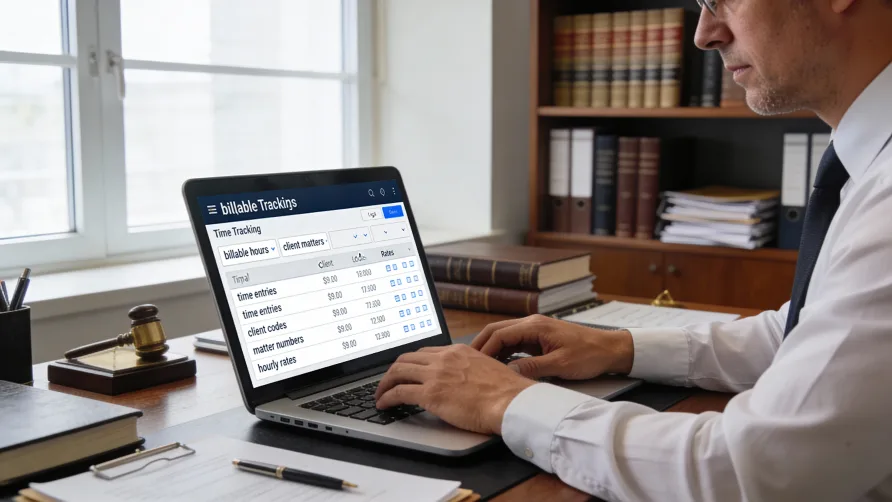
Law firms operate differently than other businesses. Billable hours form the foundation of revenue, trust accounting requirements demand strict compliance, and clients increasingly request standardized billing formats like LEDES. These unique needs make choosing time tracking software more complex for legal professionals than for most other industries.
The right time tracking software for lawyers does more than log hours. It captures billable time without disrupting workflow, converts time entries into compliant invoices, integrates with trust accounting systems, and provides the reporting needed to analyze firm profitability and attorney productivity.
This ranking examines eight time tracking solutions used by law firms, from comprehensive legal practice management platforms with built-in time tracking to specialized time tracking tools that lawyers adapt to their needs. Each serves different firm sizes, practice areas, and operational priorities.
1. Clio
Clio dominates the legal practice management space, and its time tracking capabilities reflect years of refinement based on feedback from tens of thousands of law firms. The platform captures time from multiple entry points—calendar events, tasks, emails, documents, and communications—making it difficult for billable minutes to slip through the cracks.
Who it's for: Small to medium-sized law firms across all practice areas that want comprehensive practice management with time tracking as one component rather than a standalone tool.
The time tracking system uses both active timers and passive capture. Attorneys can run timers for ongoing work, pause when interrupted, and resume without losing context. Email integrations for Outlook and Gmail allow time entries directly from correspondence. The mobile app provides full time tracking functionality for lawyers who work outside the office.
Clio's strength lies in how time entries flow seamlessly into billing. Time automatically attaches to the relevant matter, applies the correct billing rate based on attorney or task type, and populates invoices with a single click. Custom rates per matter, client, activity category, or user give firms flexibility in how they structure billing.
The platform supports trust accounting with IOLTA compliance, handles retainer billing, and generates invoices in LEDES format when corporate clients require standardized electronic billing. Time tracking connects to Clio's broader practice management features including document management, client portals, calendaring, and task management.
Reporting capabilities show time allocation across attorneys, matters, and time periods. Firms can identify which practice areas generate the most revenue, track realization rates, and spot attorneys who consistently under-record time.
Pricing: Clio offers multiple pricing tiers starting with basic plans suitable for solo practitioners and scaling up to comprehensive plans for larger firms. Plans are priced per user per month with discounts for annual billing. Contact Clio directly for current pricing based on your firm's size and feature requirements.
Standout features: Email time capture from inbox, AI-powered bill generation, 250+ integrations, mobile time tracking with offline capability, automated time entry from calendar events.
Considerations: Clio is expensive compared to standalone time tracking tools, and some advanced features require top-tier plans. Firms only needing time tracking without full practice management may find the platform overcomplicated for their needs.
2. Bill4Time
Bill4Time focuses specifically on time tracking and billing for legal professionals, making it more streamlined than full practice management platforms while offering more legal-specific features than generic time tracking tools.
Who it's for: Solo practitioners and small to mid-sized firms that primarily need excellent time tracking and billing without the complexity of comprehensive practice management software.
The interface emphasizes speed. One-click timers start, pause, stop, and resume with minimal friction. Attorneys can run multiple timers simultaneously for different matters, useful when juggling several urgent tasks. Calendar-based time entry provides a visual interface for logging time after the fact, and batch entry capabilities let attorneys quickly record multiple time blocks.
Bill4Time distinguishes itself with LEDES billing support and UTBMS (Uniform Task-Based Management System) codes built into the platform. Corporate clients and insurance companies increasingly require these standardized formats, and Bill4Time makes compliance straightforward rather than requiring manual formatting or third-party tools.
Trust accounting features meet state bar requirements with separate tracking for client funds, automated ledger updates, and complete audit trails. The platform handles both trust and operating accounts, tracks deposits and disbursements, and generates trust account statements.
Integration with QuickBooks (both desktop and online) keeps accounting records synchronized without manual data entry. The platform also connects with LawPay for payment processing, enabling clients to pay invoices online with funds properly routed to trust or operating accounts.
Reporting focuses on the metrics law firms actually use: billable hours by attorney, matter profitability, collection rates, and outstanding receivables. Time tracking data feeds into these reports automatically, providing real-time visibility into firm finances.
Pricing: Bill4Time offers tiered pricing designed for different firm sizes, from solo practitioners to enterprise firms. Pricing is per user per month with annual payment options providing discounts. For current pricing information tailored to your firm's needs, contact Bill4Time directly.
Standout features: LEDES billing and UTBMS codes, editable pre-bills, trust accounting with IOLTA compliance, QuickBooks integration, conflict checking (on higher-tier plans).
Considerations: Document management is limited compared to full practice management platforms. Some users report the mobile app feels less polished than the desktop version. Retainer handling requires workarounds in some billing scenarios.
3. TimeSolv
TimeSolv has operated since 1999, giving it deep experience in legal billing workflows. The platform strikes a balance between specialized legal features and simplicity that makes it accessible to firms uncomfortable with complex software.
Who it's for: Law firms that prioritize ease of use and exceptional customer support alongside solid time tracking and billing functionality. Particularly well-suited to firms transitioning from outdated systems like Timeslips.
Time entry works through multiple methods: running timers, manual entry, calendar-based logging, and batch time entry for attorneys who prefer recording time in blocks. The interface allows quick switching between entry methods depending on the situation, and time automatically links to the associated matter and client.
TimeSolv excels at invoicing flexibility. The platform handles hourly billing, flat fees, contingency arrangements, retainers, and hybrid billing structures within the same system. Invoice customization goes beyond basic branding—firms can modify layouts, add custom fields, include or exclude specific details, and create templates for different client types.
Trust accounting functionality supports unlimited IOLTA accounts, tracks funds per client and per matter, handles three-way reconciliation, and maintains the audit trails required for bar compliance. The system prevents common trust accounting errors through built-in safeguards and validation rules.
The platform provides over 30 built-in reports covering revenue, profitability, time allocation, expense tracking, and client billing. Reports can be scheduled for automatic generation and delivery, keeping management informed without manual effort.
Customer support distinguishes TimeSolv from competitors. Phone support connects to actual humans rather than routing through chatbots or ticketing systems. Support staff can screen-share to walk users through complex processes, and response times typically measure in hours rather than days.
Pricing: TimeSolv offers flexible pricing based on firm size and needs. The platform provides monthly subscription options rather than requiring annual commitments. All plans include core time tracking, invoicing, trust accounting, and reporting features. Contact TimeSolv for a customized quote based on your specific requirements.
Standout features: Exceptional phone support with screen-sharing, 30+ built-in reports, unlimited trust accounts, split billing capabilities, integration with NetDocuments and Dropbox, LEDES format support.
Considerations: The interface feels dated compared to newer platforms. Mobile functionality is limited. Some users report the initial setup and configuration requires more time than expected, though customer support helps with this process.
4. PracticePanther
PracticePanther packages time tracking within an intuitive practice management platform designed to reduce the learning curve that often hinders software adoption at law firms.
Who it's for: Small to medium-sized firms that want comprehensive practice management with emphasis on user-friendliness and team adoption. Firms where not all staff are tech-savvy appreciate PracticePanther's approachability.
Time tracking uses both timers and manual entry, with the flexibility to pause, resume, edit, and adjust entries as needed. The platform can run multiple concurrent timers, helpful when attorneys handle several matters within short timeframes. Mobile apps provide full time tracking functionality, and offline mode ensures time capture continues even without internet connectivity.
Integration between time tracking and billing is automatic. Time entries flow into invoices, apply the correct rates, and include detailed descriptions of work performed. The platform supports various billing arrangements including hourly, flat fee, contingency, and hybrid structures.
Trust accounting features handle IOLTA requirements, track client funds separately from operating accounts, and provide the reporting needed for three-way reconciliation and bar audits. PracticePanther Pay, the integrated payment processor, routes payments correctly to trust or operating accounts based on invoice type.
The platform emphasizes automation to reduce repetitive work. Automated workflows can trigger time entries for standard tasks, create recurring time blocks for retainer clients, and send reminders when attorneys haven't recorded time for active matters.
Document management, calendaring with court rules integration, client portals, and business texting round out the platform's capabilities. Everything connects to the same client and matter records that time tracking uses, creating consistency across firm operations.
Pricing: PracticePanther provides three pricing tiers based on feature needs, with plans designed for solo practitioners through larger firms. Pricing is per user per month with discounts available for annual billing. A free trial allows firms to test the platform before committing. Contact PracticePanther for current pricing details.
Standout features: User-friendly interface with minimal learning curve, business texting for client communication, automated workflows, court rules integration for deadline calculation, multiple concurrent timers.
Considerations: Reporting customization is less flexible than some competitors. Batch billing has limitations. Some users report occasional bugs, though updates address issues relatively quickly. Cancellation process requires contacting support rather than self-service.
5. MyCase
MyCase combines practice management with particularly strong client communication features, making time tracking part of a broader client service platform.
Who it's for: Firms that prioritize client experience and want time tracking integrated with secure client portals, document sharing, and communication tools. Works well for small to mid-sized practices focused on client satisfaction.
Smart Time Finder sets MyCase apart from competitors. The feature passively monitors activity within MyCase—calls logged, emails sent, documents accessed, tasks completed—and identifies billable actions that haven't been converted to time entries. At the end of each day or week, attorneys review a list of potentially billable activities and convert them to time entries with a click, reducing lost billable time.
Time tracking supports up to three concurrent timers, allowing attorneys to track multiple matters simultaneously. The timer can be started from various locations within the platform: case files, calendar events, tasks, and the dedicated time entry screen. Manual time entry provides an alternative for attorneys who prefer recording time in blocks.
The client portal gives clients visibility into time spent on their matters, building transparency and trust. Clients can see itemized time entries (with descriptions firms choose to share), review invoices before they're finalized, and make payments directly through the portal.
Invoicing handles diverse billing arrangements and connects to LawPay for payment processing. The platform tracks trust accounting requirements, provides IOLTA-compliant fund management, and generates reports for trust account reconciliation.
MyCase integrates with QuickBooks for accounting, Outlook and Gmail for email, and various document management systems. The mobile app provides time tracking on iOS and Android, though some advanced features are limited to the desktop version.
Pricing: MyCase offers multiple pricing plans ranging from basic to advanced tiers. Plans are priced per user per month with annual billing providing cost savings. Additional features like accounting modules and website services are available as add-ons. For detailed pricing information specific to your firm, contact MyCase directly.
Standout features: Smart Time Finder to identify missed billable time, integrated text messaging, client portal with real-time case updates, automated payment plans, e-signature functionality.
Considerations: Advanced features require higher-tier plans. Some users report the mobile app lacks functionality compared to desktop. Document management has limitations for firms with extensive filing needs. Annual price increases frustrate some long-term users.
6. Rocket Matter
Rocket Matter targets law firms seeking flexibility in how they configure time tracking and billing workflows, with particular strength in customization and reporting.
Who it's for: Small to mid-sized firms that need adaptable systems to match their specific processes rather than conforming to rigid software workflows. Firms emphasizing reporting and analytics benefit from Rocket Matter's dashboard capabilities.
Time tracking includes the standard timer and manual entry options, plus Rocket Matter Track—an AI-powered feature that passively monitors computer activity and suggests time entries based on applications used, documents accessed, and websites visited. This addresses the common problem of attorneys forgetting to start timers, though the passive tracking requires attorneys to review and approve suggested entries.
The Kanban board interface for matter management provides visual task and time tracking. Attorneys see work in progress, completed tasks, and upcoming deadlines at a glance, with time tracking integrated into the board view.
Batch billing capabilities streamline month-end invoicing for firms with many clients. The platform can generate dozens or hundreds of invoices simultaneously, applying the appropriate rates and billing rules to each matter automatically. Invoice customization lets firms create different templates for different client types or practice areas.
Trust accounting supports multiple IOLTA accounts, tracks funds by client and matter, and integrates with Rocket Matter Pay for compliant payment processing. The platform provides detailed audit trails and reconciliation reports.
Reporting and analytics are comprehensive. Built-in reports cover standard metrics like billable hours, revenue by attorney, matter profitability, and collection rates. Custom report building allows firms to analyze data from multiple angles. Dashboards provide real-time visibility into firm performance.
Pricing: Rocket Matter offers four pricing tiers scaled by firm size and feature requirements, from essentials through elite plans. Pricing is per user per month with annual payment options available. Higher tiers include AI features and enhanced support services. Contact Rocket Matter for current pricing tailored to your firm's needs.
Standout features: Rocket Matter Track passive time capture, Kanban boards for visual matter management, batch billing, advanced reporting and dashboards, QuickBooks integration.
Considerations: Some users find the interface cluttered and the learning curve steeper than competitors. Customization capabilities, while powerful, require time investment to configure properly. Customer service quality receives mixed reviews. The platform works best for firms committed to learning its full capabilities.
7. Toggl Track
Toggl Track brings simplicity and flexibility to time tracking without the legal-specific features built into practice management platforms. Lawyers use Toggl when they need excellent time tracking but handle billing and practice management separately.
Who it's for: Solo practitioners and small firms that already use other tools for billing and case management but want best-in-class time tracking. Also suitable for lawyers who want simple, affordable time tracking without additional legal software complexity.
The one-click timer makes starting and stopping time tracking frictionless. Toggl runs on desktop, browser extensions, and mobile apps, syncing time entries across all devices instantly. Offline tracking ensures no time is lost when internet connectivity drops.
Project and client organization lets lawyers track time by matter, categorize work with tags, and mark entries as billable or non-billable. Billable rates can be set per project, enabling accurate calculation of invoice amounts even though Toggl doesn't generate formal legal invoices.
Rounding rules accommodate legal billing conventions, including 6-minute increments commonly used in law firms. Time entries can be edited, duplicated, and split to ensure accuracy before invoicing.
Reporting provides insights into time allocation, project profitability, and team productivity. Reports can be exported to CSV for import into legal billing systems or shared with clients via secure links for transparency.
Toggl integrates with over 100 tools through native connections and browser extensions. Many lawyers use Toggl for time tracking and export data to legal-specific billing platforms like Bill4Time or TimeSolv for invoice generation.
The platform doesn't understand legal billing requirements like trust accounting, LEDES formatting, or IOLTA compliance. Firms needing these features must handle them in separate systems, accepting the workflow friction this creates.
Pricing: Toggl Track offers a free plan for solo users with unlimited time tracking. Paid plans add features like advanced reporting, team management, and billable rates. Plans are priced per user per month with annual payment discounts available. For current pricing on paid plans, visit Toggl Track's website or contact their sales team.
Standout features: Exceptional ease of use, browser extensions for time tracking from any web app, offline tracking, 100+ integrations, generous free plan, calendar view of time entries.
Considerations: No legal-specific features like trust accounting or LEDES billing. Invoice generation is basic—most law firms need separate billing software. Lacks case management, document management, and other practice management features lawyers need.
8. Harvest
Harvest combines time tracking with invoicing and expense management, making it more complete than pure time tracking tools while remaining simpler than full practice management platforms.
Who it's for: Small firms and solo practitioners who want straightforward time tracking with basic invoicing but don't need comprehensive legal practice management. Particularly suitable for lawyers doing consulting work or non-litigation practice that doesn't require complex legal billing.
Time tracking works through timers or manual entry across web, desktop, and mobile apps. Time syncs across devices, and entries can be edited after the fact to correct mistakes or adjust for interruptions. The interface emphasizes simplicity—adding time takes seconds, not minutes.
Project budgets help lawyers track time against estimates, useful for flat fee arrangements or ensuring hourly work doesn't exceed client budgets. Harvest sends alerts when projects approach or exceed budget limits, allowing proactive client communication.
Invoicing capabilities convert tracked time into professional invoices. The system supports hourly billing, flat fees, and retainers within the same invoice when needed. Payment processing integrates with Stripe and PayPal, enabling clients to pay invoices online directly.
Expense tracking lets lawyers log costs associated with matters—travel, filing fees, expert witnesses, research services—and include these expenses on invoices. Receipt photos can be attached to expense entries for documentation.
Reporting shows time allocation across projects and team members, project profitability, and outstanding invoice status. Visual reports make it easy to identify which work is profitable and where time is being spent.
Harvest integrates with accounting software including QuickBooks and Xero, project management tools like Asana and Basecamp, and various other business applications. These connections reduce duplicate data entry.
The platform lacks legal-specific features. No trust accounting, no LEDES billing format, no integration with legal case management systems. Firms with complex legal billing requirements will find Harvest insufficient as a standalone solution.
Pricing: Harvest offers a free plan for single users with basic features. Paid plans remove limitations and add team collaboration features. Pricing is per user per month with discounts for annual payment. For detailed pricing information based on your team size and needs, contact Harvest or visit their pricing page.
Standout features: Clean, intuitive interface, expense tracking with receipt capture, project budgets with alerts, visual reporting, accounting software integration, payment processing with Stripe and PayPal.
Considerations: Not designed for legal billing—no trust accounting, LEDES support, or matter-centric features. Invoice customization is limited compared to legal billing platforms. Becomes expensive for larger teams. Mobile app has reduced functionality compared to desktop.
Choosing the Right Time Tracking Software for Your Firm
Law firms face a fundamental decision: comprehensive legal practice management with time tracking included, or best-of-breed time tracking connected to other tools.
Choose legal practice management platforms (Clio, PracticePanther, MyCase, Rocket Matter) when you want time tracking integrated with case management, document storage, client portals, calendaring, and legal-specific billing features. These platforms cost more but reduce the number of separate tools your firm uses. They understand legal workflows, include features like trust accounting and LEDES billing, and provide centralized data rather than forcing you to sync multiple systems.
Choose specialized time and billing platforms (Bill4Time, TimeSolv) when you primarily need excellent time tracking and billing without full practice management. These options cost less than comprehensive platforms while still providing legal-specific features like trust accounting and standard billing formats. You'll need separate tools for document management and case management, but many firms already have these covered.
Choose versatile time tracking tools (Toggl Track, Harvest) when you want simplicity and flexibility, already use other systems for billing and case management, or your practice doesn't require complex legal billing features. These tools excel at time tracking but leave billing, trust accounting, and practice management to other platforms.
Evaluation criteria that matter most:
Billing requirements determine which platforms will work. If you need LEDES formatting, UTBMS codes, or trust accounting, eliminate options that don't provide these features. If your billing is straightforward hourly or flat fee without corporate client requirements, simpler tools may suffice.
Firm size and complexity influence the right choice. Solo practitioners often prefer lightweight tools with low costs. Small firms benefit from platforms that balance features with usability. Mid-sized firms need more sophisticated reporting, user permissions, and integration capabilities.
Current technology ecosystem affects integration needs. Firms already using QuickBooks for accounting, Office 365 for email, or specific document management systems should prioritize time tracking software that connects to these tools rather than replacing them.
Team adoption depends on ease of use. The most feature-rich platform fails if attorneys won't use it consistently. Evaluate interfaces during free trials, involve attorneys in the selection process, and recognize that simplicity often matters more than feature breadth.
Billable hour recovery should improve with any time tracking software compared to manual methods. Look for features that reduce forgotten time—passive tracking, email integration, activity monitoring—rather than just providing better timers. Software that captures even 10% more billable time pays for itself quickly.
Most vendors offer free trials. Test time tracking workflows in your actual practice environment. Have attorneys track time for their matters, generate invoices, and run reports using real data. The software that feels natural in daily use will see better adoption than the one with the most impressive feature list.
Time tracking software changes how law firms operate. Choose carefully, implement thoroughly, and the returns in captured revenue and operational efficiency will exceed the costs many times over.