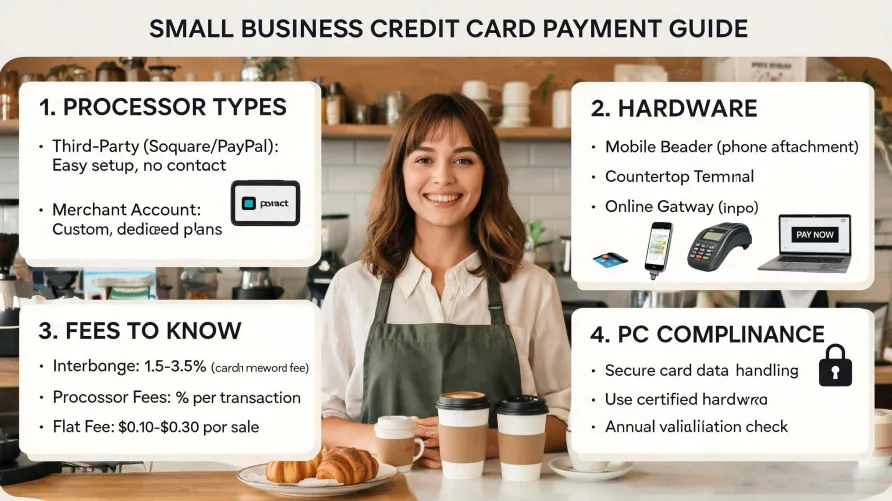
Accepting credit card payments is one of the first operational decisions a small business owner makes, and it affects everything from daily cash flow to customer experience. If you're figuring out how to accept credit card payments for small business operations, the process is more approachable than it looks. You'll need a payment processor, the right hardware or software for your sales channel, and a basic understanding of the fees involved. Most businesses can be up and running within a few days. The steps vary depending on whether you sell in person, online, or both. This guide walks through the decision framework: what type of account to open, what equipment you'll need, what it actually costs, and how to stay compliant with payment security standards. How Credit Card Transactions Actually Work Every time a customer swipes, taps, or types in a card number, a chain of events happens in about two seconds. The card terminal or payment gateway sends the transaction data to your payment processor, which routes it to the card network (Visa, Mastercard, American Express, or Discover). The card network forwards the request to the customer's issuing bank, which checks for available funds and either approves or declines the transaction. An authorization code travels back through the same chain to your terminal. That's the authorization. Settlement happens later, usually within one to two business days. Your processor batches the day's approved transactions and submits them for funding. The issuing bank transfers the funds (minus interchange fees) to the acquiring bank, and your processor deposits the net amount into your business bank account. According to Federal Reserve data, card payments now account for more than half of all U.S. consumer transactions, which is why accepting them isn't optional for most businesses anymore. What You Need to Accept Credit Card Payments The requirements break down into four areas: a business bank account, a processing relationship, hardware or software, and PCI compliance. A business bank account is where your processed funds land. Most processors require a dedicated business checking account, not a personal one. If you haven't set one up yet, that's your first step. Your processing relationship is the core decision. You'll choose between a payment aggregator and a dedicated merchant account, and the right answer depends on your volume and business type. More on that distinction in the next section. Hardware covers card readers, terminals, and point-of-sale systems for in-person sales. For online sales, you'll need a payment gateway instead. Some businesses need both. PCI compliance is the security standard that every business accepting card payments must follow. The requirements are set by the PCI Security Standards Council, not by individual processors, and they apply regardless of your transaction volume. Smaller merchants typically complete an annual self-assessment questionnaire rather than a full audit. Aggregator vs. Dedicated Merchant Account This is the first fork in the road, and it trips up a lot of new business owners. The two paths look similar from the outside, but they work differently under the hood. A payment aggregator lets you process transactions under its master merchant account. You don't go through a traditional underwriting process. Signup is fast, often same-day, and you can start accepting payments almost immediately. The tradeoff is that the aggregator controls your processing relationship. If its risk systems flag your account, holds or freezes can happen with little warning. Aggregators typically charge flat-rate pricing, which simplifies your fee structure but may cost more per transaction at higher volumes. A dedicated merchant account is your own account with an acquiring bank, set up through a processor or independent sales organization. The application process involves underwriting, where the processor reviews your business type, projected volume, and risk profile. Approval can take a few days to a couple of weeks. In exchange, you get your own merchant identification number, more predictable processing terms, and access to interchange-plus pricing, which is usually cheaper once you're processing more than $5,000 to $10,000 per month. For a brand-new business with low or unpredictable volume, an aggregator is often the practical starting point. For an established business with steady monthly sales, a dedicated merchant account almost always makes more financial sense over a 12-month period. Choosing Your Sales Channel: In-Person, Online, or Both Your sales channel determines what equipment and software you need. The costs and technical requirements differ significantly between in-person and online acceptance. In-person acceptance requires a physical card reader or terminal. The cheapest option is a mobile card reader that plugs into or pairs with a smartphone or tablet. These work well for businesses that sell at markets, events, or client locations. A countertop terminal is the standard for retail stores and restaurants with a fixed checkout point. Full point-of-sale systems add inventory management, receipt printing, and reporting on top of payment processing. Hardware costs range from under $50 for a basic mobile reader to $1,000 or more for a full POS setup. Online acceptance requires a payment gateway, which is the digital equivalent of a card terminal. The gateway encrypts card data from your website or app and routes it to your processor. If you sell through a hosted e-commerce platform, gateway functionality is usually built in. If you've built a custom site, you'll integrate with your processor's gateway API or use a hosted payment page. Many businesses need both channels. A restaurant that also takes online orders, a retailer with a physical store and a website, or a service company that invoices clients digitally while also accepting walk-in payments. Most modern processors support both in-person and online transactions under a single account, though the per-transaction fees differ by channel. Card-present transactions (in person, with a physical card) cost less to process than card-not-present transactions (online or keyed in) because the fraud risk is lower. How Much Does It Cost to Accept Credit Cards? Cost is the question every business owner asks first, and the answer has several layers. Interchange fees are the base cost. These are set by the card networks (Visa, Mastercard, etc.) and paid to the issuing bank on every transaction. They aren't negotiable. According to the Federal Reserve's most recent payments study, the average interchange fee for credit card transactions in the United States runs between 1.5% and 2.5% of the transaction amount, varying by card type, merchant category, and how the card is accepted. On top of interchange, your payment processor adds its own markup, and this is where pricing models diverge. Flat-rate pricing bundles everything into a single percentage, typically 2.6% to 2.9% plus a fixed per-transaction fee. Interchange-plus pricing separates the interchange from the markup, so you pay the actual interchange cost plus a fixed margin, often 0.2% to 0.5% plus a per-transaction fee. Tiered pricing groups transactions into qualified, mid-qualified, and non-qualified buckets with different rates for each. Tiered pricing is the least transparent model and the hardest to predict. Monthly and incidental fees add to the total. These can include a monthly account fee ($10 to $30 is common), PCI compliance fees ($5 to $15 per month), statement fees, batch fees, and chargeback fees ($15 to $25 per dispute). Some processors waive many of these. Others bury them in the fine print. For a small business processing $10,000 per month in credit card sales, total processing costs typically land between $250 and $350 per month under flat-rate pricing, or $200 to $280 under interchange-plus pricing. The gap widens as volume increases, which is why businesses that grow past $10,000 to $15,000 in monthly card sales should revisit their pricing model. Can You Accept Credit Cards Without a Merchant Account? Yes. That's exactly what payment aggregators provide. You process under the aggregator's master merchant account rather than opening your own. This is how many small businesses start, and for low-volume operations, it's a perfectly viable long-term arrangement. The limitation is control. You don't own the processing relationship. The aggregator can adjust terms, impose holds, or terminate your account based on its own risk policies. For businesses in higher-risk categories, or those processing significant volume, this lack of control becomes a real operational risk. A third option exists for businesses that sell exclusively online through marketplace platforms. Some platforms handle payment processing entirely, collecting payment from the buyer and disbursing funds to the seller. In these cases, you don't need a separate merchant account or aggregator at all, though you're also giving up control over the payment experience and paying the platform's fees. Hardware and Terminal Options If you accept payments in person, you'll need at least one piece of hardware. The market breaks down into three tiers. Mobile card readers are the entry-level option. They're small devices that connect to a phone or tablet via Bluetooth or the headphone jack. They accept chip cards and contactless payments (tap-to-pay). Most cost under $50, and some processors provide them for free with a new account. They're ideal for sole proprietors, mobile service providers, and businesses that sell at temporary locations. Countertop terminals are standalone devices with built-in screens, receipt printers, and connectivity. They sit at a fixed checkout point. Prices range from $200 to $600 depending on features. Businesses with a consistent physical location and moderate transaction volume typically land here. Full POS systems combine payment processing with business management tools: inventory tracking, employee management, sales reporting, and customer records. These systems range from $500 to several thousand dollars for the hardware, plus monthly software fees. They make sense for retail stores, restaurants, and multi-location businesses that need more than just payment acceptance. Regardless of which tier you choose, make sure the hardware supports EMV chip cards and NFC contactless payments. Magnetic stripe-only terminals are outdated and expose you to higher fraud liability under the EMV liability shift rules that took effect in 2015. Security and PCI Compliance Every business that accepts, processes, or stores credit card data must comply with the Payment Card Industry Data Security Standard, known as PCI DSS. The standard is maintained by the PCI Security Standards Council, which was founded by the major card networks. PCI compliance isn't a one-time task. It's an ongoing obligation. For most small businesses (classified as Level 4 merchants, processing fewer than 1 million transactions per year), compliance involves completing an annual Self-Assessment Questionnaire and, depending on your processor, running quarterly network vulnerability scans. The requirements cover areas like encrypting cardholder data, maintaining secure networks, restricting access to payment information, and regularly testing security systems. The full standard has 12 core requirements, but the SAQ for small merchants focuses on the subset that applies to your specific processing environment. Non-compliance carries real consequences. Your processor can charge monthly non-compliance fees, typically $20 to $50 per month, and in the event of a data breach, you could face fines from the card networks, investigation costs, and liability for fraudulent transactions. The CFPB has also signaled increased attention to payment data security practices among small business service providers. Most modern processors simplify PCI compliance significantly. If you use a processor's hosted payment page for online transactions, or a PCI-certified terminal for in-person sales, the processor handles much of the data security burden. Your scope of compliance shrinks because you never directly touch raw card numbers. Setup Timeline: From Application to First Transaction How long it takes to start accepting credit cards depends on the path you choose. With an aggregator, you can often sign up and process your first transaction within the same day. The application is simple, approval is typically instant or within a few hours, and hardware (if needed) ships quickly or can be picked up at a retail location. With a dedicated merchant account, expect the process to take three to ten business days. The application requires business documentation, including your EIN, business license, processing history if applicable, and a voided check for your business bank account. Underwriting review adds a few days, and terminal programming or gateway configuration may add a day or two beyond that. For online-only businesses, the setup timeline also depends on your website integration. If you use a hosted payment page, integration can happen in an afternoon. Custom API integrations take longer, typically a few days of developer work, depending on your platform. Choosing the Right Path for Your Business The right setup depends on three things: where you sell, how much you process, and how fast you need to get started. If you're launching a new business and need to accept cards quickly, start with an aggregator and a mobile reader. The cost is minimal, the setup is fast, and you can always migrate to a dedicated merchant account later as your volume grows. If you're already processing several thousand dollars per month and want lower fees and more control, a dedicated merchant account with interchange-plus pricing will save you money over time. Either way, compare the total cost of processing, not just the headline rate. Factor in monthly fees, per-transaction fees, hardware costs, and any contract terms or early termination fees. Read the full fee schedule before signing anything. For a detailed look at providers in this market, our credit card processing rankings compare the options side by side.
How to Accept Credit Cards for Your Small Business