
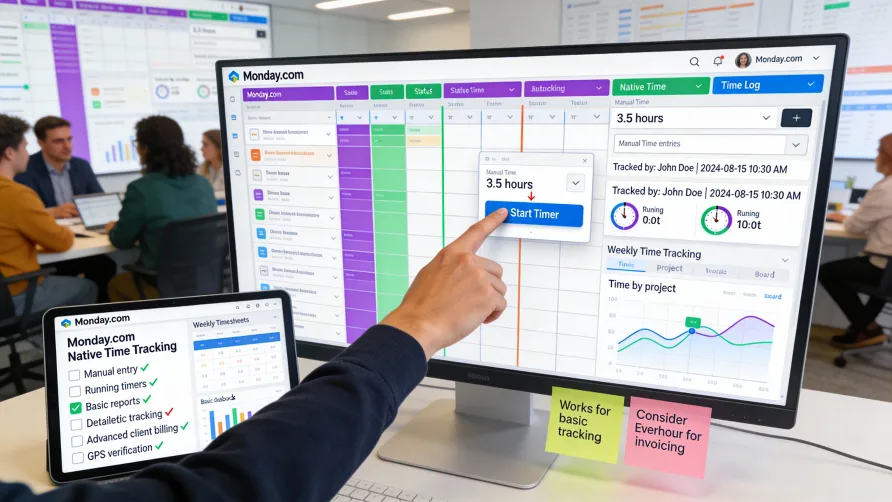
Yes, Monday.com includes built-in time tracking capabilities. The platform provides time tracking features that integrate directly with your project boards, letting team members log hours and track time spent on tasks without using external tools.
Monday.com's time tracking works through dedicated time-tracking columns that you add to your boards. These columns support both manual time entry and running timers, giving users flexibility in how they record their hours. The time data stays within Monday.com and connects to your project management workflow.
How Do I Track Time in Monday.com?
Time tracking in Monday.com centers around the time tracking column type. You add this column to any board where you want to track time, and it appears alongside other data columns like status, person assignments, or dates.
Once you've added a time tracking column, team members can log time directly on individual items. Click into the time tracking cell for a specific task, and you'll see options to either manually enter time or start a running timer.
Manual time entry lets you record hours and minutes you've already worked. This approach works well when logging time retrospectively at the end of the day or after completing a task. You simply type the duration into the time tracking column.
The timer function starts a running clock that tracks time as you work. Click the timer button, and Monday.com begins counting elapsed time. When you finish working on the task, stop the timer and the recorded duration automatically populates the time tracking column.
Multiple team members can log time against the same item, with Monday.com tracking time entries separately by user. This allows collaborative work where several people contribute hours to the same task, and the system maintains individual time records.
The time tracking column can display time in different formats including hours and minutes or decimal hours. You can configure the display format that makes sense for your reporting or billing needs.
Time Tracking Features in Monday.com
Monday.com's time tracking includes summary views that show total time logged across items. You can see time totals at the group level or for the entire board, helping you understand overall time investment in projects.
The platform tracks who logged which time entries, providing accountability and visibility into individual contributions. When you view time tracking data, you can see both the total time and a breakdown by team member.
Time tracking integrates with Monday.com's automation features. You can create automations that trigger actions based on time tracking data, such as sending notifications when time logged exceeds a certain threshold or automatically changing item status after time is tracked.
Filtering and sorting capabilities let you organize boards based on time tracking data. You can filter to show only items with time logged, sort by most to least time tracked, or create custom views that highlight time-related information.
The time tracking data factors into Monday.com's reporting and dashboard widgets. You can create charts and visualizations showing time distribution across projects, team members, or time periods. These visual reports help communicate time investment to stakeholders.
Monday.com supports time tracking estimates in addition to actual time logged. You can add estimated duration to items and then compare estimated versus actual time to understand how accurately you're planning work.
Limitations of Monday.com Time Tracking
Monday.com's time tracking serves basic project-level time tracking needs but lacks features that dedicated workforce management or time tracking platforms provide. The platform doesn't include comprehensive timesheet functionality where employees submit weekly hours for manager approval before payroll processing.
There's no built-in timesheet approval workflow. While managers can view time logged by team members, Monday.com doesn't provide a formal process for reviewing, approving, or rejecting time entries before they move to payroll. This absence makes it less suitable for businesses that need formal time approval processes.
Payroll integration is limited. Monday.com doesn't connect directly to most payroll systems, which means exporting time data for payroll processing requires manual steps. You can export time tracking data to spreadsheets, but the platform doesn't generate payroll-ready exports in formats specific payroll providers expect.
Billable hour tracking and invoicing capabilities don't exist natively. You can track time in Monday.com, but the platform lacks features for marking time as billable, applying different billing rates to different work types, or generating client invoices from tracked hours. Agencies or professional services firms that bill clients based on time need additional tools.
The time tracking isn't connected to scheduling or attendance management. Monday.com doesn't include employee scheduling features, clock-in/clock-out functionality for shift work, or attendance tracking for monitoring tardiness and absences. The time tracking focuses on project task duration rather than workforce attendance management.
Labor law compliance features like overtime alerts, break tracking, or rest period monitoring aren't included. Businesses subject to complex labor regulations may find Monday.com's time tracking insufficient for maintaining compliance.
Is Monday.com Time Tracking Good?
Monday.com time tracking works well for specific use cases while falling short for others. Understanding whether it fits your needs depends on how you'll use time data and what features matter for your business.
For project-based teams tracking time primarily to understand project time investment and improve future estimates, Monday.com's native tracking provides adequate functionality. You can see how much time projects consume, which tasks take longer than expected, and how team members allocate their hours across work.
The integration with project management workflow is a strength. Time tracking happens within the same boards where you manage tasks, which reduces friction compared to switching between separate project management and time tracking tools. Team members can start timers without leaving their work context.
The time tracking serves internal analysis and project planning purposes well. If your goal is understanding how your team spends time to improve processes, identify bottlenecks, or refine time estimates, Monday.com provides sufficient visibility.
However, Monday.com time tracking is not ideal for businesses with specific workforce management needs. If you process payroll based on employee hours, need formal timesheet approval workflows, or must comply with labor regulations, Monday.com lacks essential features.
The platform also doesn't serve businesses that bill clients based on tracked hours. Without billing rate configuration, billable hour tracking, or invoice generation, agencies and consultancies need dedicated time tracking tools for client billing workflows.
When Monday.com Time Tracking Makes Sense
Monday.com's native time tracking fits well for teams already using the platform for project management who want basic time visibility without adding external tools. The convenience of tracking time within your existing workflow outweighs feature limitations if your needs are straightforward.
Internal teams working on projects where time tracking informs planning and process improvement can benefit from Monday.com's approach. You're not billing clients or processing payroll based on the data, so the lack of those features doesn't matter.
Small teams with simple time tracking needs might find Monday.com sufficient. If you need to know roughly how much time projects take and which team members are working on what, the native features provide that visibility.
Businesses that already use separate payroll or billing systems and just need to capture time data at the project level can work within Monday.com's capabilities. You'd export time data manually when needed rather than expecting automated integration.
When to Use Dedicated Time Tracking Instead
Businesses that need time data for payroll processing should use dedicated time tracking software with payroll integrations and timesheet approval workflows. Monday.com cannot adequately support the compliance requirements and formal processes payroll demands.
Agencies, consultancies, and professional services firms billing clients based on hourly work need proper billable hour tracking. The ability to configure different billing rates, mark time as billable or non-billable, and generate invoices from tracked hours is essential for these businesses.
Organizations with complex labor law compliance requirements need tools built for workforce management. Overtime tracking, break enforcement, schedule management, and compliance reporting require specialized functionality Monday.com doesn't provide.
Large teams or businesses with distributed workforces benefit from dedicated time tracking platforms designed for scale. Features like mobile time clocks, geofencing, photo verification, and comprehensive reporting become important as team size and complexity grow.
Companies that need detailed time analytics, productivity insights, or labor cost tracking will find Monday.com's reporting capabilities limiting. Dedicated platforms provide sophisticated analytics, customizable reports, and business intelligence features that Monday.com's project-focused reporting doesn't match.
Combining Monday.com With Dedicated Time Tracking
Some businesses use Monday.com for project management while connecting dedicated time tracking tools for comprehensive time functionality. This hybrid approach lets you maintain your Monday.com workflow while gaining advanced time tracking capabilities.
Several time tracking platforms integrate with Monday.com, connecting your boards and items to external time tracking systems. These integrations typically work through browser extensions or API connections that sync data between platforms.
The integration approach means team members might start timers in the external tool while working on Monday.com items. Time data records in the dedicated platform where it supports features like payroll integration or invoicing, while summary data may sync back to Monday.com for visibility.
This combined approach makes sense when you value Monday.com's project management capabilities but need time tracking features it doesn't provide. You get the best of both platforms rather than compromising on either project management or time tracking functionality.
The downside is managing two systems, training team members on both platforms, and potentially paying for multiple software subscriptions. You need to evaluate whether the additional time tracking features justify the added complexity and cost.
Implementation Considerations
Enabling time tracking in Monday.com requires adding time tracking columns to your boards. Decide which boards need time tracking and add columns accordingly. You can include time tracking in board templates if you want it available by default on new boards.
Train team members on when and how to log time. Establish expectations about whether people should use running timers, log time manually, or have flexibility in their approach. Clear guidance improves consistency in how time data is recorded.
Consider creating views or dashboards specifically for time tracking visibility. Filter views showing items with time logged, create summary boards rolling up time across projects, or build dashboard widgets that visualize time distribution.
If you need time data for purposes beyond Monday.com, plan your export and reporting processes. Understand how you'll get time data out of Monday.com for payroll, billing, or external analysis, and test those export workflows before relying on them for critical business processes.
For businesses with formal time tracking requirements, document what Monday.com provides and where it falls short. If you have compliance obligations or process requirements that Monday.com can't meet, you need to acknowledge those gaps and plan for how you'll address them.
Getting Started With Monday.com Time Tracking
If you're already using Monday.com and want to start tracking time, begin by adding time tracking columns to relevant boards. Start with one or two boards where time visibility would be most valuable rather than implementing across your entire workspace at once.
Communicate with your team about the time tracking rollout. Explain why you're tracking time, how the data will be used, and what you expect from team members in terms of logging their hours.
Monitor adoption and data quality as people begin using time tracking. Check whether team members are consistently logging time, address questions or confusion about the process, and adjust your approach based on early feedback.
Review the time data periodically to ensure it's providing useful insights. If you're not learning anything valuable from the tracked time, either you need to change how you're using the data or reconsider whether time tracking adds value for your situation.
For businesses evaluating whether Monday.com's time tracking meets their needs, test the functionality with a small group before committing to it as your time tracking solution. Compare what Monday.com offers against your specific requirements including payroll integration, billing needs, compliance obligations, and reporting expectations.
If Monday.com time tracking proves insufficient for your needs, investigate dedicated time tracking platforms that either integrate with Monday.com or replace it for time-related functionality while letting you continue using Monday.com for project management.