
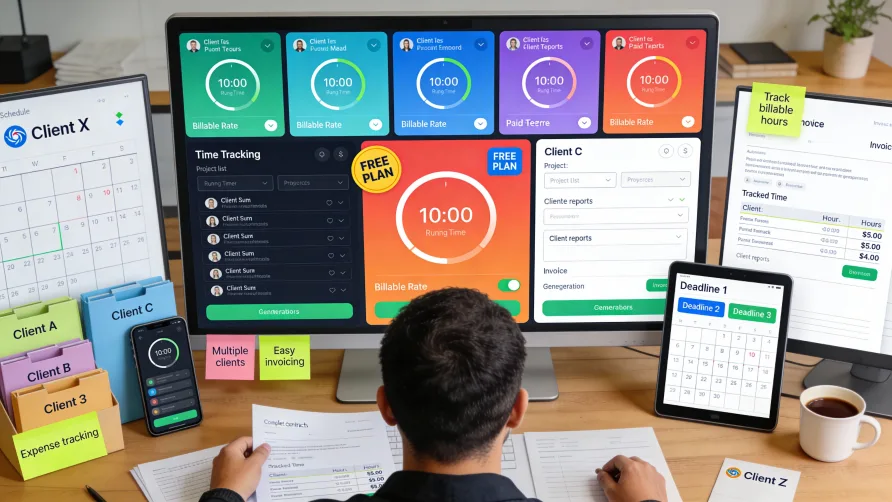
Finding the right time tracking tool transforms how you manage freelance work, ensuring every billable hour gets captured and every client invoice reflects the time you actually spent.
The tools below represent the best options for freelancers who need to track time across multiple clients and projects without adding administrative burden. Each excels in specific areas—whether that's a robust free plan, seamless invoicing integration, or automatic tracking that runs in the background.
Comparison Table: Time Tracking Tools for Freelancers
| Tool | Free Plan | Starting Price | Best For | Key Strength |
|---|---|---|---|---|
| Toggl Track | Yes (5 users) | Starter tier available | Simplicity and ease of use | Generous free plan with unlimited tracking |
| Clockify | Yes (unlimited) | Basic tier available | Budget-conscious freelancers | Truly unlimited free plan |
| Harvest | Yes (1 user, 2 projects) | Pro tier available | Time tracking + invoicing | Integrated billing workflow |
| Everhour | Limited | Team tier available | Project management users | Deep PM tool integration |
| Paymo | Yes (1 user) | Starter tier available | All-in-one needs | Complete project lifecycle |
| Timely | 14-day trial | Subscription plans | Hands-off tracking | AI-powered automatic tracking |
| FreshBooks | 30-day trial | Subscription plans | Full accounting needs | Comprehensive business tools |
1. Toggl Track
Toggl Track has earned its reputation as a freelancer favorite through relentless focus on simplicity and an uncommonly generous free plan that actually works for real freelance businesses.
What makes it great for freelancers: You can start tracking time within seconds of signing up. The one-click timer works across web, desktop, and mobile, meaning you can track from wherever you're working. The free plan supports up to five users and includes unlimited time tracking—unusual generosity that makes it genuinely useful for solo freelancers and small teams.
The interface stays out of your way. You start a timer when you begin a task, stop it when you're done, and Toggl Track captures everything in the background. If you forget to stop a timer, idle detection alerts you to review those periods and decide what to keep.
Freelancer-specific features: Different clients pay different rates. Toggl Track lets you assign hourly rates at the project level and mark entries as billable or non-billable. As you track time, you see exactly what you've earned. When it's time to invoice, you can export detailed reports showing how you spent your hours, or use the built-in invoicing to turn tracked time into professional invoices.
The Pomodoro timer integration helps freelancers manage energy throughout long work days. Set it to work in 25-minute focused sprints with automatic break reminders—small functionality that prevents burnout.
Where it excels: Toggl Track captures that rare combination of powerful features and genuine ease of use. Freelancers consistently praise how little time they spend thinking about their time tracker. The Chrome extension lets you start timers directly from project management tools, and the timeline view shows your entire day at a glance.
Reports are clean and client-ready. Export to PDF or CSV, share links to live reports, or generate summary views that show totals without overwhelming detail.
Considerations: While Toggl Track handles time tracking and basic invoicing well, it doesn't include project management features like task dependencies or Gantt charts. If you need robust project planning tools, you'll use Toggl alongside another system. The free plan also limits data storage to six months, though that's typically sufficient for active freelance work.
Who should choose this: Freelancers who want time tracking that feels effortless. Designers, developers, consultants, and writers who bill by the hour appreciate how Toggl Track disappears into their workflow. If you value simplicity and a free plan that doesn't feel crippled, Toggl Track delivers.
2. Clockify
Clockify stands alone in offering truly unlimited time tracking for unlimited users at zero cost—a combination that makes it the most accessible option for freelancers just starting out or those working on tight budgets.
What makes it great for freelancers: The free plan doesn't play games with artificial limitations. You get unlimited projects, unlimited clients, unlimited time tracking, and access to mobile and desktop apps. This isn't a trial that expires or a teaser that pushes you toward paid plans—it's a fully functional time tracker that thousands of freelancers use without ever paying.
Clockify covers the essentials: start/stop timers, manual time entry, calendar view, and detailed reporting. You can organize work by clients and projects, mark hours as billable, and export data in multiple formats.
Freelancer-specific features: The free plan includes basic invoicing functionality, though you need to upgrade to the Standard plan to get QuickBooks integration and more sophisticated billing features. You can set different hourly rates for different projects and generate reports that break down earnings by client.
Clockify's desktop and browser apps track time across devices. The kiosk mode works well if you're tracking time in a shared workspace or want a simple clock-in/clock-out system.
Where it excels: No other tool matches Clockify's free tier. Small features like the Pomodoro timer (via browser extension), GPS tracking on mobile, and detailed analytics give freelancers professional tools without professional prices.
The interface is straightforward if not particularly modern. You won't mistake it for cutting-edge design, but navigation makes sense and you can find what you need quickly.
Considerations: The free plan has limitations that matter for some workflows. You can't customize invoice templates or automate certain billing processes without upgrading. Advanced reporting features live behind the paywall, and the mobile app feels less polished than the web version.
Some freelancers find the interface cluttered compared to sleeker alternatives like Toggl Track. Time entry can feel tedious when you're logging multiple short tasks, and editing past entries requires more clicks than ideal.
Who should choose this: Budget-conscious freelancers who need unlimited tracking without restrictions. Writers, virtual assistants, and contractors managing multiple small clients benefit from Clockify's generous free tier. If you're testing the waters of freelancing or your income doesn't yet support software subscriptions, Clockify removes barriers to professional time tracking.
3. Harvest
Harvest connects time tracking directly to invoicing and payments, creating an end-to-end workflow that takes freelancers from "I worked on this" to "I got paid for this" with minimal friction.
What makes it great for freelancers: Harvest treats time tracking as the first step in getting paid, not an isolated activity. You track hours, those hours automatically populate invoices, clients pay online through integrated payment processors, and Harvest syncs everything with your accounting software. This connected workflow eliminates the gap between doing work and billing for it.
The free plan works for individual freelancers managing up to two active projects. It includes time tracking, basic reporting, and invoicing—enough to run a small freelance business without paying anything.
Freelancer-specific features: Harvest shines in billing accuracy. Set different hourly rates for different project types or clients. Mark time as billable or non-billable. Generate professional invoices that include time entries with descriptions, and clients can pay directly through PayPal or Stripe integrations.
Expense tracking lets you photograph receipts and attach them to projects, then add those expenses to invoices. This matters for freelancers who incur project-specific costs like stock photos, software subscriptions, or travel.
The project budgeting features help prevent scope creep. Set time or fee budgets, monitor progress, and receive alerts when you're approaching limits. These guardrails prevent the common freelance problem of working far more hours than budgeted.
Where it excels: The integrated workflow from time entry to payment collection sets Harvest apart. Freelancers appreciate seeing clear profit margins on each project and understanding which clients and project types generate the best returns.
Reports provide exactly what you need for client conversations: how much time went where, what that time cost, and whether projects stayed within budget. The interface feels professional—clean enough that you'd be comfortable showing clients your Harvest reports directly.
Considerations: Harvest costs more than competitors once you outgrow the free plan. The interface, while clean, feels somewhat dated compared to newer tools. Mobile functionality works but lacks the polish of the web version.
If you need advanced project management—task dependencies, Gantt charts, resource planning—Harvest requires a separate subscription to their Forecast product. The core tool focuses tightly on time, expenses, and billing rather than trying to be everything.
Who should choose this: Freelancers who bill multiple clients and want invoicing integrated with time tracking. Consultants, agencies, and professional service providers appreciate how Harvest streamlines the entire billing cycle. If accurate invoicing matters more to you than project management features, Harvest delivers precisely what you need.
4. Everhour
Everhour embeds time tracking directly into the project management tools you already use, turning Asana tasks, Trello cards, or ClickUp items into trackable work without switching applications.
What makes it great for freelancers: Rather than asking you to duplicate your workflow, Everhour meets you where you work. Install the browser extension and time tracking controls appear inside Asana, Trello, Basecamp, ClickUp, Jira, or Notion. You start timers, log hours, and review time—all without leaving your project management tool.
This integration depth matters for freelancers who use these platforms with clients. You're not explaining to clients why they need access to yet another tool or maintaining duplicate task lists.
Freelancer-specific features: Everhour's budgeting and reporting tools give freelancers detailed insight into project profitability. Set time or monetary budgets, track progress, and receive alerts when approaching limits. The reports break down time by client, project, task, or team member—whatever granularity you need for billing or analysis.
Billing rates can differ by project, client, or even individual task. Mark time as billable or non-billable, and Everhour calculates what you've earned automatically. Invoicing functionality lets you create professional invoices from tracked time, though it's not as sophisticated as dedicated invoicing tools.
Where it excels: The native integrations feel seamless rather than bolted on. Time tracking controls blend into the interface of your project management tool, maintaining the workflow you've already established. For freelancers managing client work through these platforms, Everhour eliminates context switching.
The reporting is genuinely useful. You can drill into specific projects to see where time went, compare estimated versus actual hours, and identify which phases consumed more time than planned.
Considerations: Everhour requires you to use one of their supported project management platforms. If you don't, or if you use multiple tools that Everhour doesn't support, the value proposition weakens significantly.
The free plan is quite limited—designed more for testing than actual use. The Team plan requires a minimum of five seats, which can be expensive for solo freelancers or very small operations.
Invoicing works but feels basic compared to specialized tools like Harvest or FreshBooks. You can generate invoices, but customization options and payment processing require more manual work.
Who should choose this: Freelancers who live in Asana, Trello, or similar platforms and want time tracking that doesn't disrupt that workflow. If you're already paying for project management software and collaborating with clients there, Everhour's integration depth justifies the cost. Solo freelancers not using these platforms should look elsewhere.
5. Paymo
Paymo attempts to be the only tool a freelancer needs, combining time tracking, task management, project planning, team collaboration, and invoicing in a single integrated platform.
What makes it great for freelancers: Instead of stitching together separate tools for different parts of your workflow, Paymo handles everything from initial estimate through final invoice. Create projects, break them into tasks, assign work, track time, manage files, communicate with clients, and bill for completed work—all without leaving the platform.
The free plan supports one user, making it viable for solo freelancers who want to test whether an all-in-one solution fits their needs.
Freelancer-specific features: Paymo's automatic time tracking (Paymo Track) runs in the background, recording what applications you use and generating a timeline of your workday. You review this timeline and allocate time to specific projects and tasks. This approach works well for freelancers who forget to start manual timers.
The invoicing system converts tracked time into professional invoices with one click. You can customize templates, set up recurring invoices, add expenses, and accept online payments through integrated payment processors.
Task management goes beyond basic to-do lists. Use Kanban boards, Gantt charts, calendar views, or simple lists depending on what fits your project. File proofing features let clients review and approve designs or documents directly in Paymo, reducing email back-and-forth.
Where it excels: The breadth of features means fewer subscriptions to manage. Freelancers appreciate handling project planning, time tracking, collaboration, and billing from one platform rather than maintaining accounts across multiple services.
The automatic time tracker genuinely saves time for freelancers who struggle with manual tracking. Review your day, assign time to projects, and submit timesheets without reconstructing what you worked on from memory.
Considerations: The interface feels less intuitive than specialized tools. Paymo tries to do so much that navigation becomes complex. Some freelancers find the learning curve steep compared to simpler alternatives.
While Paymo includes invoicing, it's not as sophisticated as dedicated accounting software. If you need detailed financial reporting, tax preparation features, or complex billing scenarios, you'll still need separate accounting tools.
The free plan is quite limited—really designed for solo freelancers with very simple needs. Most freelancers find themselves needing paid plans relatively quickly to unlock essential features.
Who should choose this: Freelancers who prefer integrated solutions over specialized tools. If you value having everything in one place and you're willing to invest time learning a more complex system, Paymo delivers comprehensive functionality. Solo freelancers and small teams (under 20 people) who want to minimize tool sprawl find Paymo's all-in-one approach appealing.
6. Timely
Timely uses AI to track everything you do on your computer automatically, then lets you review that activity and allocate time to projects without ever starting or stopping a timer.
What makes it great for freelancers: You simply work. Timely runs in the background, recording which applications you use, which documents you work on, which websites you visit, and which meetings you attend. At the end of the day or week, you review this detailed timeline and drag activities to appropriate projects and tasks.
This approach eliminates the biggest problem with time tracking: remembering to do it. Freelancers who constantly forget to start timers or who switch between tasks too frequently for manual tracking find Timely transformative.
Freelancer-specific features: The automatic tracking captures everything—email time, document editing, meetings, even planning and thinking time that's hard to categorize. This comprehensive capture means you're less likely to lose billable hours to forgotten timers.
Timely creates timesheets from your activity automatically. Review them, make adjustments, submit them for approval (if working with agencies), and turn them into invoices. The system learns your patterns over time, making increasingly accurate suggestions about how to categorize your work.
Privacy controls let you decide what Timely tracks. You can exclude certain applications or websites, and the data stays private until you explicitly create time entries from it.
Where it excels: The hands-off approach to time tracking changes the experience fundamentally. Instead of interrupting your work to update a timer, you focus on doing the work and handle time allocation in a single batch session.
For freelancers juggling multiple clients and projects simultaneously, Timely's detailed activity timeline makes it easier to remember and accurately attribute work hours after the fact.
Considerations: Timely costs significantly more than alternatives. There's no free plan beyond the trial period, and subscriptions start at a premium price point. The value equation depends heavily on how much time you waste with manual tracking and how often you lose billable hours to forgotten timers.
The automatic tracking only captures computer-based work. Meetings without screen sharing, phone calls, thinking time away from your desk, and other non-digital activities require manual logging.
Some freelancers find the review-and-allocate workflow takes more time than simple timer management. You're trading real-time tracking effort for end-of-day categorization effort—which approach feels more natural varies by individual.
Who should choose this: Freelancers who struggle with manual time tracking despite trying multiple tools. If you constantly forget to start timers, switch between tasks too frequently, or find yourself reconstructing your day from memory, Timely's automatic tracking solves those problems. The higher price makes sense for established freelancers billing substantial hours, less so for those just starting out.
7. FreshBooks Time Tracking
FreshBooks approaches time tracking as one component of comprehensive business management, integrating it with invoicing, expense tracking, accounting, and client management in an all-in-one platform.
What makes it great for freelancers: Rather than using separate tools for time tracking, accounting, invoicing, and expense management, FreshBooks handles all these interconnected activities from a single platform. Track time, log expenses, generate invoices, accept payments, and manage your books without data living in multiple systems.
The time tracking itself is straightforward: start/stop timers or manual entry, organized by project and client. Where FreshBooks distinguishes itself is what happens after you track time—seamless flow into invoices, automatic payment reminders, integration with major accounting systems, and detailed financial reporting.
Freelancer-specific features: Time entries convert to invoices with descriptions, rates, and totals pre-filled. Customize invoice templates to match your branding, set up recurring billing for retainer clients, and accept credit card or bank payments directly through integrated processors.
The mobile app lets you track time and expenses on the go, photograph receipts, and manage invoicing from your phone. This mobility matters for freelancers who work from multiple locations or travel for client meetings.
FreshBooks handles more than billing mechanics—it provides the financial reporting freelancers need to understand their business. See profit and loss statements, track outstanding invoices, monitor expenses by category, and prepare for tax time with organized financial data.
Where it excels: The accounting integration sets FreshBooks apart from pure time tracking tools. If you're going to maintain books, prepare tax documents, and manage business finances anyway, having time tracking built into that system eliminates duplicate data entry and synchronization headaches.
Client management features help freelancers stay organized as their client roster grows. Store contact information, track project history, view outstanding invoices, and communicate directly through the platform.
Considerations: FreshBooks is significantly more expensive than dedicated time tracking tools. You're paying for comprehensive business management software, which only makes sense if you use most of those features.
The time tracking functionality, while solid, is less sophisticated than specialized tools like Toggl Track or Harvest. Power users who want detailed time analytics or complex project budgeting may find FreshBooks basic in comparison.
There's no free plan beyond the 30-day trial. For freelancers just starting out or those unsure about committing to paid software, this creates a higher barrier to entry.
Who should choose this: Established freelancers who need accounting software anyway and want time tracking integrated with it. If you're already using or planning to use accounting software, paying for FreshBooks instead of paying separately for accounting and time tracking makes economic sense. Less established freelancers or those comfortable with separate specialized tools should look elsewhere.
How to Choose the Right Time Tracking Tool
Your choice depends on specific factors in your freelance business.
If you want the easiest, most intuitive experience: Toggl Track wins for simplicity. The interface gets out of your way, tracking feels effortless, and the free plan works for real businesses. Choose Toggl Track if you value ease of use above all else.
If budget is your primary concern: Clockify provides unlimited tracking for unlimited projects and clients at zero cost. The free tier doesn't expire or push you toward paid plans. Choose Clockify if you need professional time tracking without paying.
If invoicing is equally important as time tracking: Harvest connects time, expenses, and billing in a seamless workflow. Track hours and turn them into professional invoices with a few clicks. Choose Harvest if billing accuracy matters as much as time tracking.
If you live in project management tools: Everhour integrates directly into Asana, Trello, Basecamp, and similar platforms. Time tracking appears where you already work. Choose Everhour if you use these tools heavily with clients.
If you want one tool for everything: Paymo combines time tracking, project management, task management, collaboration, and invoicing in a single platform. Choose Paymo if you prefer integrated solutions over specialized tools.
If you forget to track time constantly: Timely runs automatically in the background, capturing everything you do without manual timers. Choose Timely if manual tracking hasn't worked despite trying multiple tools.
If you need full business accounting: FreshBooks handles time tracking alongside invoicing, accounting, expense management, and financial reporting. Choose FreshBooks if you want comprehensive business management in one place.
Common Features to Expect
Regardless of which tool you choose, these capabilities should be standard:
Multiple tracking methods: Start/stop timers, manual time entry, and the ability to edit entries after the fact. Flexibility in how you track matters because different tasks require different approaches.
Client and project organization: Group time entries by client and project so you understand where hours go and can bill accurately. Tagging or categorization helps sort time into meaningful buckets.
Billable versus non-billable designation: Mark which time gets billed to clients and which represents internal work, administrative tasks, or other non-billable activities. This distinction matters for accurate invoicing and profitability analysis.
Reporting: Generate summaries showing time by client, project, task, date range, or team member. Export options (PDF, CSV, Excel) let you share data with clients or import it into other systems.
Cross-device access: Track time from web browsers, desktop applications, and mobile devices. Your time tracker should be available wherever you're working.
Rate management: Set different hourly rates for different clients, projects, or task types. Calculate earnings automatically based on tracked time and assigned rates.
Integration Matters More Than You Think
Time tracking rarely exists in isolation. Consider how your chosen tool connects with other software you use:
Project management platforms: If you use Asana, Trello, or similar tools, integration eliminates duplicate data entry and keeps everything synchronized.
Accounting software: Direct integration with QuickBooks, Xero, or similar systems streamlines financial record-keeping and tax preparation.
Payment processors: Built-in connections to PayPal, Stripe, or other payment platforms let clients pay invoices directly without manual transaction recording.
Calendar applications: Syncing with Google Calendar or Outlook helps populate time entries automatically based on scheduled meetings and appointments.
Freelancers waste hours each week on administrative tasks that proper integrations can eliminate. Factor these connections into your decision.
The Bottom Line
The best time tracking tool for your freelance business depends on your specific workflow, budget, and which related tasks you need to handle.
Toggl Track provides the best balance of simplicity and functionality for most freelancers. The generous free plan, intuitive interface, and reliable tracking make it the safe choice for designers, developers, writers, and consultants who primarily need accurate time capture and basic invoicing.
Clockify wins on price, offering unlimited everything for free. If budget is your primary concern, Clockify delivers professional time tracking without requiring a credit card.
Harvest excels when billing accuracy matters most. The integrated workflow from time tracking through invoice payment makes it ideal for freelancers who bill multiple clients and want everything connected.
Each tool on this list solves the fundamental problem—capturing billable hours accurately—but does so with different strengths. Your ideal choice depends on whether you prioritize simplicity, cost, invoicing integration, project management connection, comprehensive features, automatic tracking, or full business accounting.
Start with a free trial or free plan. Track time for actual client work for at least a week. The right tool should feel helpful rather than burdensome, and the administrative time it saves should exceed the time spent maintaining it