
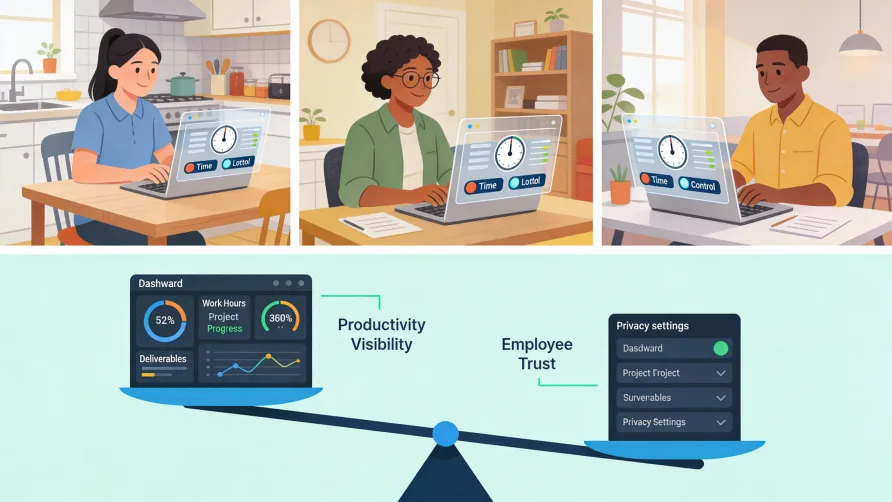
Tracking remote employee time requires methods that work without physical proximity while respecting the trust inherent in flexible work arrangements. Unlike office environments where managers can observe who arrives and departs, distributed teams need systems that capture work hours accurately regardless of where employees sit. The challenge is finding an approach that provides necessary visibility without creating a surveillance culture that damages morale and productivity.
Unique Challenges of Remote Employee Time Tracking
Remote work introduces complications that traditional time tracking methods were never designed to handle. Understanding these challenges helps you select solutions that actually work for distributed teams.
No Physical Verification
In an office, you can see who arrives at 8 AM and who leaves at 6 PM. Physical presence serves as a rough proxy for attendance even without formal tracking. Remote work eliminates this visibility entirely. An employee could be logged into their computer from anywhere, and you have no way to know whether they are actively working or stepped away hours ago.
This visibility gap creates genuine business problems. Managers cannot tell if someone is struggling with their workload or coasting through easy days. Project timelines become harder to predict when you cannot see who is actually available. Client billing depends on time records you cannot independently verify.
Time Zone Complexity
Distributed teams often span multiple time zones, which complicates both tracking and management. When your developer in California finishes their day, your analyst in London is already asleep. Standard notions of "work hours" become meaningless when employees naturally operate on different schedules.
Remote team time tracking must accommodate these differences without requiring everyone to conform to a single time zone. The system needs to capture when people actually work, not when headquarters expects them to work.
Work-Life Boundary Blur
Remote workers often struggle to separate professional and personal time. The commute that once created natural transitions disappears. The laptop sits on the kitchen table, beckoning during dinner. Employees may work in scattered fragments throughout the day rather than in continuous blocks.
This fluidity makes traditional clock-in and clock-out models awkward. A remote employee might work from 7 to 10 AM, handle personal errands, return from 1 to 5 PM, then finish something after the kids go to bed. Tracking needs flexibility to capture actual work patterns rather than forcing artificial structure.
Technology Dependency
Remote tracking relies entirely on digital tools. If an employee's internet goes down, they cannot clock in. If the tracking software glitches, hours may go unrecorded. Unlike paper timesheets that work regardless of connectivity, remote systems require functioning technology on both ends.
This dependency creates vulnerability. Employees working from locations with unreliable internet face genuine obstacles to consistent tracking. The solution must account for these realities rather than penalizing workers for circumstances beyond their control.
Balancing Trust and Verification
Remote work functions on trust. You hire people because you believe they will do good work without constant supervision. Time tracking can support that trust or undermine it, depending on how you approach it.
Trust as Foundation
Effective remote teams operate with high trust. Employees manage their own schedules, deliver results without micromanagement, and take ownership of their work. Research consistently shows that organizations with trust-based cultures outperform those relying on surveillance.
Time tracking should reinforce rather than replace this trust. The goal is not catching people in idle moments but ensuring accurate records for payroll, billing, and project planning. When employees understand tracking serves legitimate business purposes rather than suspicion of their commitment, resistance decreases.
Verification as Safety Net
Trust does not eliminate the need for documentation. Payroll requires recorded hours. Client billing needs time records. Compliance demands evidence of hours worked. Even high-trust organizations need systems that capture this information.
The question is not whether to track but how. Verification methods range from simple self-reported timesheets to detailed activity monitoring. Where you land on that spectrum should reflect your actual business needs, not paranoia about remote workers taking advantage.
Finding the Right Balance
Most organizations benefit from tracking that captures enough information for business purposes without crossing into surveillance territory. This typically means recording hours worked and possibly time by project or client, without monitoring every website visited or taking screenshots of employee screens.
The appropriate level varies by industry and role. A law firm billing clients by the hour needs detailed time records. A creative agency measuring output rather than input may need less granular tracking. A company handling sensitive data might require more verification for security reasons.
How Do You Track Hours for Work from Home Employees?
Several approaches work for work from home time tracking, ranging from simple self-reporting to automated systems.
Self-Reported Timesheets
The simplest method asks employees to record their own hours. They might fill out a weekly timesheet showing hours worked each day, or log time against specific projects and tasks. The system trusts employees to report accurately.
Self-reporting works when employees have no incentive to misreport and when the consequences of inaccuracy are low. Salaried workers tracking time for project analysis rather than payroll face little temptation to inflate hours. The approach breaks down when compensation ties directly to recorded time or when employees feel pressured to demonstrate productivity by logging excessive hours.
Timer-Based Tracking
Time tracking software lets employees start and stop timers as they work. Click to begin when you sit down; click to stop when you step away. The software logs each segment with timestamps, creating an accurate record of when work occurred.
Timers reduce reliance on memory compared to end-of-week timesheet completion. The record reflects actual work sessions rather than reconstructed estimates. Employees working in fragmented patterns can capture each segment without losing track.
The downside is friction. Remembering to start and stop timers interrupts workflow. Some employees find the constant interaction annoying and forget to use the system consistently.
Automatic Background Tracking
More sophisticated software tracks time automatically by monitoring computer activity. The application runs in the background, noting which programs you use and when. At the end of the day, you see a timeline of your activity without having manually logged anything.
Automatic tracking captures time that manual methods miss. The quick email check before dinner, the brief document review during a conference call, the scattered moments that add up over a week. Employees review the captured activity and convert relevant segments into official time entries.
This approach raises privacy considerations. The software sees everything you do on your computer. Most implementations keep activity data private to the individual employee until they choose to submit it, but the monitoring capability exists.
Project and Task Assignment
For businesses that need to know where hours go rather than just total hours worked, tracking software allows employees to assign time to specific projects, clients, or task categories. A consultant might log three hours to Client A's strategy engagement and two hours to Client B's audit preparation.
Project-level tracking supports client billing, project profitability analysis, and resource allocation decisions. The data shows not just that someone worked 40 hours but how those hours distributed across different initiatives.
Activity Monitoring: Capabilities and Concerns
Beyond basic time tracking, some software offers deeper visibility into how remote employees spend their working hours.
What Activity Monitoring Can Track
The monitoring capabilities available today are extensive. Software can capture screenshots at regular intervals, log which applications employees use, track websites visited, record keystrokes, measure mouse movement, and even access webcams. Some tools attempt to distinguish "productive" from "unproductive" time based on which applications are active.
These capabilities exist because some employers want them. The question is whether they serve your actual needs and whether the costs outweigh the benefits.
The Case for Monitoring
Proponents argue that monitoring provides accountability when physical oversight is impossible. Managers can verify that reported hours correspond to actual work. Unusual patterns might indicate employees struggling with their workload or disengaging from their role. Data supports performance conversations with concrete evidence rather than impressions.
For businesses handling sensitive information, monitoring serves security purposes. Tracking which files employees access and when creates audit trails that help detect and investigate data breaches.
The Case Against Invasive Monitoring
Research consistently shows that excessive monitoring damages trust, increases stress, and often decreases the productivity it aims to improve. Employees under constant surveillance feel less autonomy and ownership over their work. Top performers, who have options elsewhere, may leave for organizations that treat them as professionals.
Monitoring also creates legal and ethical complications. Capturing screenshots may record personal information inadvertently visible on screen. Keystroke logging can capture passwords or private communications. Webcam access feels particularly invasive, especially when employees work from home where family members may be present.
The data itself becomes a liability. More detailed information means more potential for security breaches, inappropriate access, or misuse. Storing screenshots of employee screens creates risk that storing only hours worked does not.
Finding Middle Ground
Most organizations can achieve legitimate tracking objectives without invasive monitoring. Recording hours worked, time by project, and possibly application usage during work hours provides business value without capturing intimate details of employee activity.
If you do implement monitoring beyond basic time tracking, transparency is mandatory. Employees should know exactly what you capture, why you capture it, and who can access the data. Surprise monitoring destroys trust faster than no monitoring builds it.
Is It Legal to Track Remote Employee Time?
Yes, tracking remote employee time is legal, and for non-exempt employees, it is required. However, the methods you use and how you implement them involve legal considerations.
Federal Requirements
The Fair Labor Standards Act requires employers to maintain accurate records of hours worked by non-exempt employees, regardless of where they work. Remote employees are not exempt from this requirement. You must track their hours just as you would track hours for employees working on-site.
The FLSA does not specify tracking methods. Paper timesheets, software, or any other system that produces accurate records satisfies the requirement. The law cares about the result, not the mechanism.
Monitoring Regulations
While time tracking is required, the specific monitoring methods you use may face restrictions. The Electronic Communications Privacy Act provides a general framework at the federal level, allowing employer monitoring for legitimate business purposes, particularly on company-owned equipment with employee consent.
State laws vary significantly. Connecticut, Delaware, and New York require employers to notify employees before monitoring their electronic communications. California has strong privacy protections that limit certain monitoring practices. Some states regulate biometric data collection specifically.
The safest approach across all jurisdictions involves written policies that clearly explain what you monitor and why, provided to employees before monitoring begins and acknowledged in writing.
Monitoring Personal Devices
Tracking becomes more complicated when employees use personal devices for work. Legal standards differ for company-owned equipment versus employee-owned devices. Monitoring personal computers, phones, or home networks raises privacy concerns that company equipment does not.
If you require time tracking software on personal devices, disclose this clearly before employees install anything. Some organizations provide equipment specifically to avoid the complications of monitoring personal property.
Off-Hours Tracking
Avoid monitoring employees outside work hours. Tracking location or activity when someone is not working invades privacy and creates legal exposure. Time tracking should capture work time, not surveill employees' lives.
If your tracking software runs continuously, configure it to capture data only during designated work hours. Features that track employees around the clock, even passively, create unnecessary risk.
Time Zone Management for Distributed Teams
Global teams need tracking systems that handle time zone differences gracefully.
Recording in Local Time
Time tracking software should record hours in each employee's local time zone while allowing reports in whatever time zone managers prefer. An employee in Tokyo logging hours should see their local time, while the manager in Chicago reviewing the data can view it converted to Central time.
Forcing everyone to log in headquarters time creates confusion and errors. Employees should not need to calculate time zone conversions to record their work hours accurately.
Defining Work Hours Flexibly
Distributed teams often cannot enforce standard work hours. If your team spans 12 time zones, no single eight-hour window works for everyone. Tracking policies should accommodate flexible schedules rather than requiring everyone online simultaneously.
This flexibility means defining expectations around deliverables and availability windows rather than strict start and stop times. Time tracking captures actual hours worked regardless of when those hours fall.
Scheduling Visibility
Time tracking data can support coordination across time zones. Knowing when teammates typically work helps schedule meetings that do not require anyone to join at 3 AM. Seeing patterns of availability guides decisions about who can collaborate on time-sensitive projects.
Communication and Transparency
How you communicate about tracking matters as much as what you track.
Explain the Why
Before implementing any tracking system, explain the business reasons clearly. Are you trying to ensure accurate payroll? Support client billing? Understand project costs? Employees respond better when they understand the purpose rather than assuming the worst.
Frame tracking as a tool that serves everyone's interests: accurate pay for employees, accurate billing for clients, accurate costs for the business. Avoid language that suggests surveillance or distrust.
Document Policies
Create written policies covering what you track, how you track it, who can access the data, and how long you retain it. Include these policies in employee handbooks and have employees acknowledge receipt.
Clear documentation protects both parties. Employees know what to expect. The company has evidence of proper disclosure if questions arise later.
Provide Access to Data
Let employees see their own tracking data. When people can review what has been recorded about them, anxiety decreases and trust increases. Hidden tracking feels secretive even when the data itself is innocuous.
Self-service access also helps employees catch errors before they affect paychecks or performance reviews.
Building a Remote Time Tracking Approach
Effective tracking for remote teams combines appropriate technology with clear policies and open communication.
Start by identifying your actual needs. What decisions will tracking data inform? What level of detail do those decisions require? Track what you need, not everything you could potentially capture.
Choose methods that employees will actually use. The most sophisticated system fails if people forget or refuse to interact with it. Simple, low-friction approaches often produce better data than complex ones that employees resent.
Communicate transparently throughout. Explain why you track, what you track, and how the data gets used. Give employees visibility into their own records. Treat tracking as a shared tool rather than a surveillance mechanism.
Monitor the outcomes over time. Is the system capturing accurate data? Are employees using it consistently? Is the information proving useful for its intended purposes? Adjust your approach based on what actually works.
Remote time tracking succeeds when it supports business needs without compromising the trust that makes remote work viable. The goal is accurate records and informed management, not control over employees who have earned the autonomy that remote work provides.