
What Geofencing Means for Time Tracking
Geofencing time tracking uses GPS coordinates to draw a virtual boundary around a physical location, then triggers an action when an employee's mobile device crosses that boundary. The most common action is an automatic clock-in or clock-out, though some systems send reminders instead of punching the clock directly. The technology sits at the intersection of GPS time tracking and workforce management, giving employers a way to verify that workers are where they're supposed to be when their shifts begin and end.
The concept itself isn't new. Geofencing has been used in marketing and fleet management for years. But its adoption in time tracking software has accelerated as mobile workforces have grown and manual time entry has become harder to trust at scale. According to the American Time Use Survey from the Bureau of Labor Statistics, roughly 27% of employed persons did some or all of their work at a location other than their employer's premises. That shift has made location based time tracking a practical necessity for many businesses, not a surveillance upgrade.
How Geofencing Works in Practice
The mechanics are simpler than most people assume. An administrator defines a geofence by dropping a pin on a map inside their time tracking software and setting a radius. That radius might be 200 feet for a retail store or half a mile for a large construction site. The geofence lives on the software's server, and the employee's phone checks its own GPS position against that boundary.
When the employee crosses into the geofenced area, one of two things happens depending on how the system is configured. In automatic mode, the software clocks the employee in the moment they enter the zone and clocks them out when they leave. In reminder mode, the employee gets a push notification prompting them to open the app and punch in manually. Most businesses prefer the reminder approach because it keeps the employee in the loop and avoids accidental punches from someone driving past the job site on their lunch break.
The accuracy of a geofence clock in depends on several factors: the quality of the phone's GPS chip, whether the employee is indoors or outdoors, the density of nearby cell towers and Wi-Fi networks, and the radius the employer has set. A tight 100-foot radius in a downtown area with tall buildings will produce more false triggers than a 500-foot radius around a suburban warehouse. Most time tracking platforms recommend starting with a radius of 300 to 500 feet and adjusting based on real-world results during the first few weeks.
Where Geofencing Fits Best
Not every business needs geofencing. A 10-person office where everyone walks through the same door each morning probably doesn't. But for operations where employees start their day at different locations, or where verifying physical presence matters for compliance or billing, geofencing solves a real problem.
Field service and home healthcare. A plumbing company dispatching technicians to six different homes each day can't rely on self-reported start times. Geofencing confirms that the technician arrived at the client's address before the billing clock starts. Home healthcare agencies face similar verification requirements, particularly when Medicaid reimbursement depends on documented proof that a caregiver was physically present during the visit window. For these businesses, GPS time tracking isn't about trust. It's about documentation.
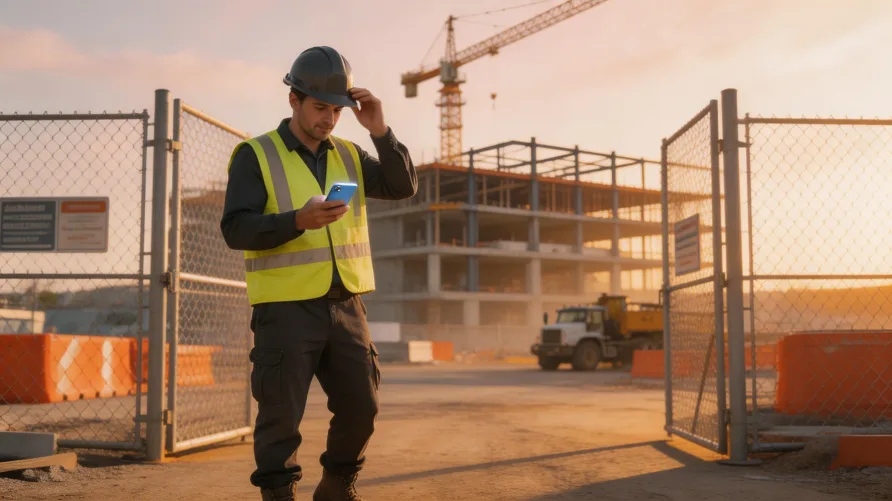
Construction. Large job sites with subcontractors and shifting crew assignments create a tracking headache. Geofencing lets a general contractor see which crews arrived on time without stationing someone at the gate with a clipboard. The geofence radius on a construction site typically runs larger to account for staging areas, parking lots, and equipment yards that sit outside the main work zone but are still part of showing up for the job.
Distributed and hybrid teams. Geofencing isn't only for blue-collar work. Some companies use it to track when remote employees arrive at co-working spaces or client offices for scheduled in-person days. The geofence confirms attendance without requiring a manager to check in personally. That said, applying geofencing to knowledge workers requires more sensitivity around privacy expectations, and the communication around why it's being used matters more than the technology itself.
Benefits for Employers
The most obvious benefit is accuracy. Manual time entry invites errors and, in some cases, intentional inflation. The American Payroll Association has estimated that buddy punching alone costs U.S. employers hundreds of millions of dollars annually. A geofence clock in eliminates the possibility of one employee clocking in for another, since the punch is tied to a specific device at a verified location.
Beyond time theft, geofencing simplifies payroll processing. When clock-in and clock-out data flows automatically from the field to the back office, there's less manual reconciliation at the end of each pay period. Payroll administrators spend less time chasing down missing punches or correcting entries that don't match scheduled shifts.
There's also a compliance angle. Businesses in industries with prevailing wage requirements or government contracts often need to prove that specific workers were on a specific job site for a specific number of hours. Geofenced time records create that audit trail automatically.
Benefits for Employees
Geofencing isn't a one-sided tool. Employees benefit too, though that message often gets lost in the rollout.
The biggest advantage is that it removes the burden of remembering to clock in. Forgetting a punch is one of the most common payroll complaints among hourly workers, and it usually leads to a corrected entry that may not reflect the actual start time. With geofencing, the system captures the moment of arrival, which means employees get paid for every minute they're on site. That precision protects workers just as much as it protects employers.
It also reduces disputes. When a manager questions whether someone arrived late, the geofence log provides an objective record that neither side can argue with. That transparency cuts down on the kind of friction that erodes morale over time.
Privacy and Legal Considerations
Here's where the conversation gets more complicated. Geofencing requires access to an employee's location data, and that raises legitimate privacy concerns that employers can't afford to ignore.
Federal law under the Electronic Communications Privacy Act doesn't explicitly prohibit employer GPS tracking, but it also doesn't give blanket permission. The legal framework is largely shaped at the state level, and requirements vary significantly. Some states require written consent before any location tracking can occur on a personal device. Others require employers to provide clear written notice that tracking is in place, even on company-owned devices. A handful of states have passed or are considering legislation that restricts tracking to working hours only, meaning the geofence must deactivate when the employee clocks out. Before implementing geofencing time tracking, check your state's current statutes or consult an employment attorney. This isn't optional.
Beyond legal compliance, there's an ethical dimension. Employees who feel surveilled tend to disengage, and the productivity gains from geofencing can evaporate if the rollout feels punitive. Transparency is the single most important factor in whether geofencing lands well or badly with your team.
Implementation Tips That Actually Help
Rolling out geofencing successfully is less about the software configuration and more about how you communicate it. Here's what tends to work.
Explain the why before the how. Don't lead with "we're tracking your location now." Lead with the business reason: accurate pay, simplified timesheets, compliance requirements. Employees respond better when they understand the purpose and can see how it benefits them directly.
Use reminder mode first. Automatic clock-ins feel more invasive than a nudge that lets the employee tap a button. Starting with reminders gives your team time to get comfortable with the system before you consider switching to full automation.
Set reasonable geofence sizes. A radius that's too tight will generate false failures and frustrate employees who are clearly at the job site but standing 20 feet outside an arbitrary line. Err on the side of a larger radius during the first month, then tighten it based on actual data.
Limit tracking to work hours. If your time tracking software offers the option to disable location access outside of scheduled shifts, use it. This single setting addresses the biggest employee concern and demonstrates that you're using the tool for time tracking, not surveillance.
Put it in writing. Create a clear, plain-language policy that explains what data is collected, when it's collected, who can see it, and how long it's retained. Distribute it before the system goes live, not after.
The Bottom Line
Geofencing time tracking is a practical tool that solves a specific problem: verifying when and where employees work without relying on manual entry or physical time clocks. It works best for mobile, distributed, and field-based teams where traditional punch systems aren't feasible. The technology is straightforward. The legal and cultural considerations around it are what demand the real attention. Get the communication and policy right, and geofencing becomes something your team accepts as a normal part of how work gets tracked. Get it wrong, and you'll spend more time managing the backlash than you ever saved on payroll accuracy.